
Run Summary gave you an instant read on a single test. Two new AI analysis capabilities extend that coverage to the rest of your workflow.
Trend Analysis
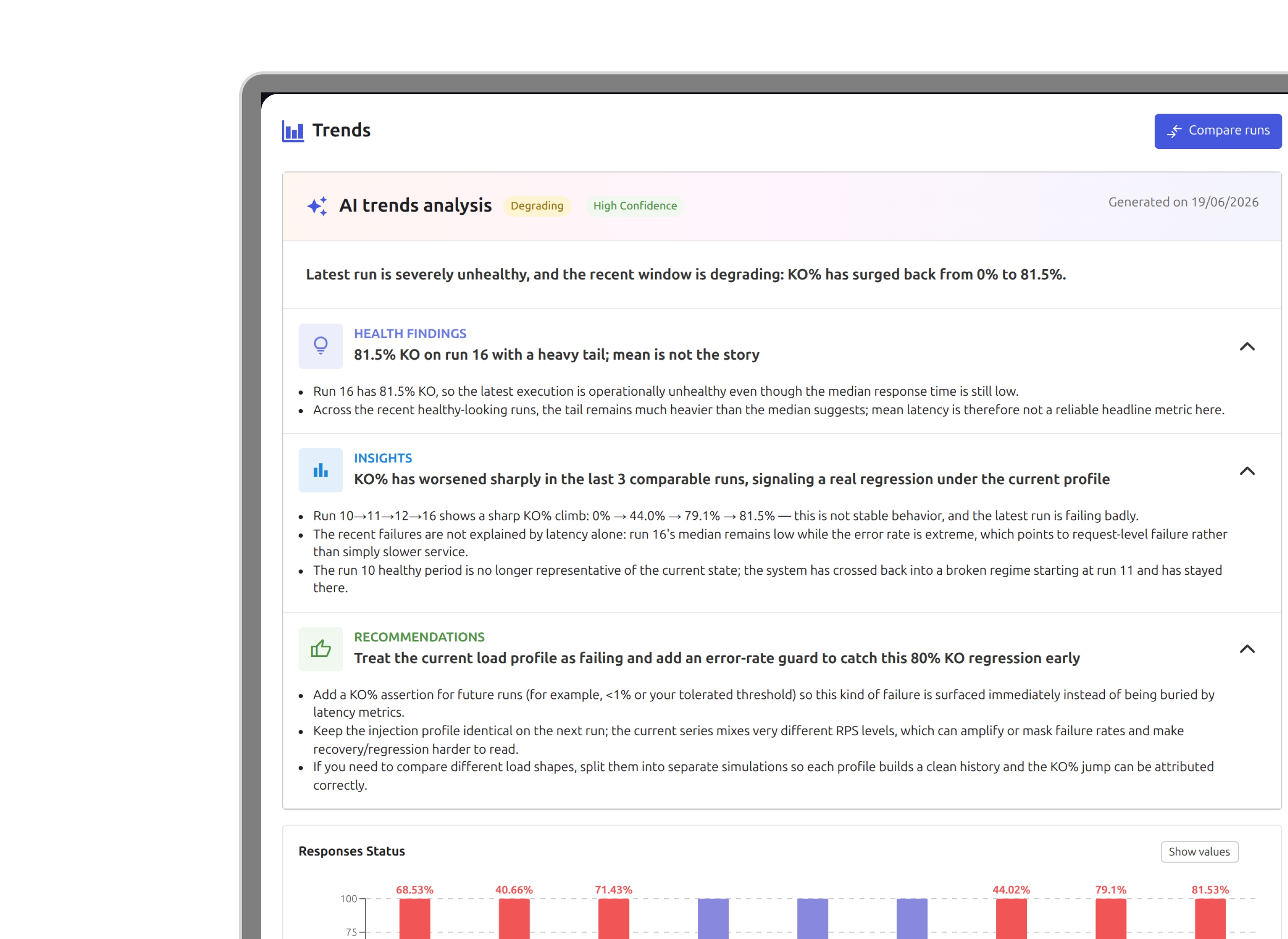
When you open a simulation's run history, AI reads the data and tells you whether performance is improving, degrading, or stable over time. It surfaces latency trends, error rate evolution, and throughput consistency across runs, the signals that matter before a release, not after an incident.
Run Comparison
When you select two to five runs for comparison, an Analyze with AI button appears in the comparison panel. The report covers:
- Findings: 2 to 4 quantified observations about what changed between the selected runs: which request group regressed, where p99 moved, where throughput held.
- Verdict: Similar, Some Discrepancies, or Divergent, a single qualification of the overall relationship between the runs.
- Confidence: a reliability assessment so you know whether the AI had enough signal to reason from.
- Recommendations: 2 to 3 concrete actions to take before the next run.
- Explore in chart: a precise starting point in the comparison chart: which metric to look at and between which runs.
The comparison AI reasons only about the runs you selected. It does not assess history or long-term trends, that is what Trend Analysis is for.
Both features require AI to be enabled at the organization level. Reports are persisted server-side and tied to the runs that generated them.
Available now in Gatling Enterprise Edition.
Related updates
Your all-in-one load testing platform
Design complex tests, manage global infrastructure, and turn results into action on one powerful platform.
Need technical references and tutorials?
Minimal features, for local use only
