
JMETER TO GATLING CONVERTER
Convert your
JMeter tests to Gatling.
Just by Asking AI.
JMeter to Gatling Converter turns your existing test plans into working Gatling simulations, directly from your IDE, in the language your team already writes. No manual rewrite. No starting from scratch.
AVAILABLE FOR






Stop rewriting.
Start converting.
Migrating from JMeter shouldn't mean rebuilding everything from scratch. The Gatling JMeter Converter is an AI skill that reads your existing .jmx files and generates production-ready Gatling simulations, with full mapping of every test element, in the language and build tool your team already uses.
AI Skill
/gatling-convert-from-jmeter
It reads your .jmx file, maps every JMeter element to its Gatling equivalent, and writes a working simulation into your project. Runs entirely inside your IDE, no UI, no manual steps.
A Guided, multi-step conversion workflow for Claude Code, Cursor and any compatible coding assistant. The skill walks your AI agent through detection, mapping, generation, and compilation, automatically flagging anything that needs review.
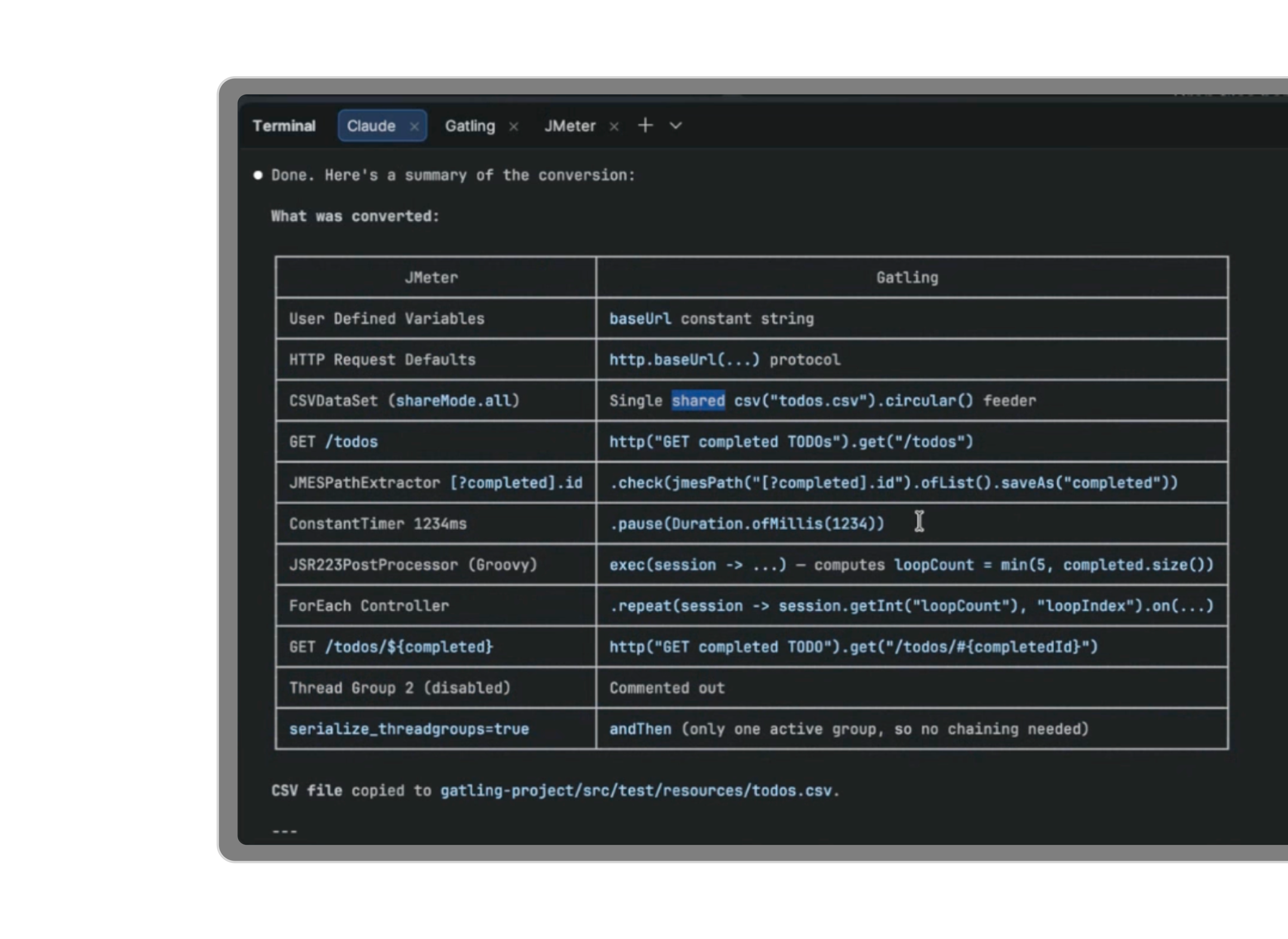
YOUR NEW MIGRATION WORKFLOW
Stop rewriting.
Let AI convert it.
Ready to migrate
from JMeter to Gatling?
Convert your existing test plans automatically, and get expert guidance on what your migration looks like at scale.
FAQ
Frequently Asked Questions about the JMeter to Gatling Converter
No. The converter works with Gatling open source. A Gatling Enterprise account is only required if you want to deploy and run tests on Gatling Enterprise Edition after conversion.
The skill is designed for Claude Code, Cursor, and any AI coding assistant that supports skills or instruction.
In most cases, the simulation will compile and run immediately. Complex Groovy scripts and custom injection profiles may need manual review — the skill flags these explicitly and suggests improvements.
Java, JavaScript, TypeScript, Scala, and Kotlin. Maven and Gradle for JVM projects. npm for JavaScript and TypeScript.
The skill runs entirely inside your IDE. Your .jmx files and test data never leave your machine.
The skill flags anything it can't convert with a clear explanation. You can iterate with your AI assistant to resolve edge cases — or open an issue on GitHub to help us improve coverage.
Your all-in-one load testing platform
Design complex tests, manage global infrastructure, and turn results into action on one powerful platform.
Need technical references and tutorials?
Minimal features, for local use only
