
SERVICE LEVEL OBJECTIVES
Know exactly how your system performed. Every run.
Define performance targets directly in Gatling Enterprise Edition. After every run, see precisely how long your system held the line, without touching your test code.


Add a performance contract for every test.
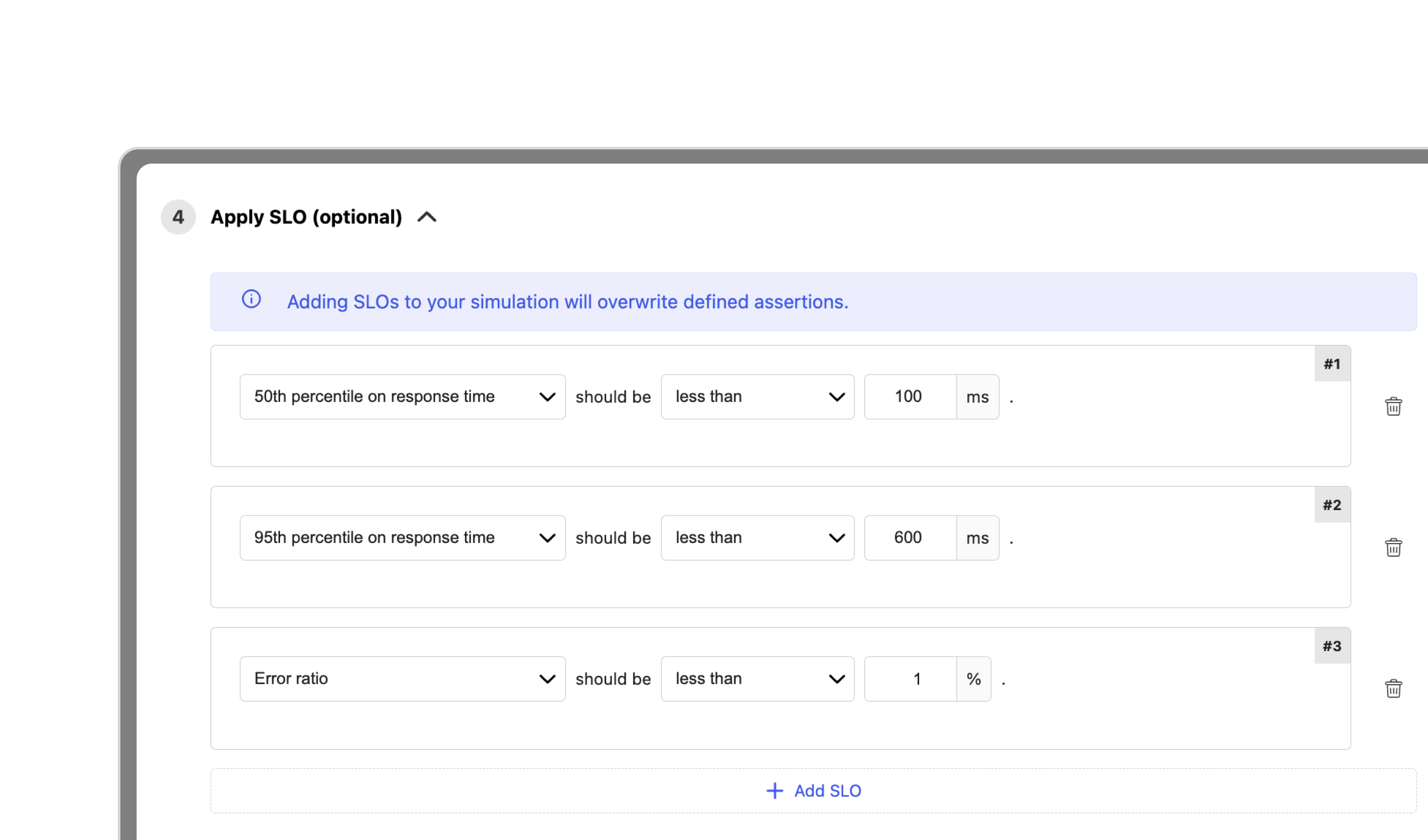
An SLO defines a target your system must meet during a load test run. Gatling Enterprise Edition evaluates it continuously throughout the run and tells you exactly how compliant your system was.
Each SLO is built from three parameters:
Metric: Response time percentile (p50, p95, p99, up to p99.9999) or error ratio across all scenarios.
Threshold: The target value. In milliseconds for response time. As a percentage for error ratio.
Compliance: The percentage of seconds during the run where your condition was met. Ramp-up and ramp-down excluded.
Every run tells you where you stood.
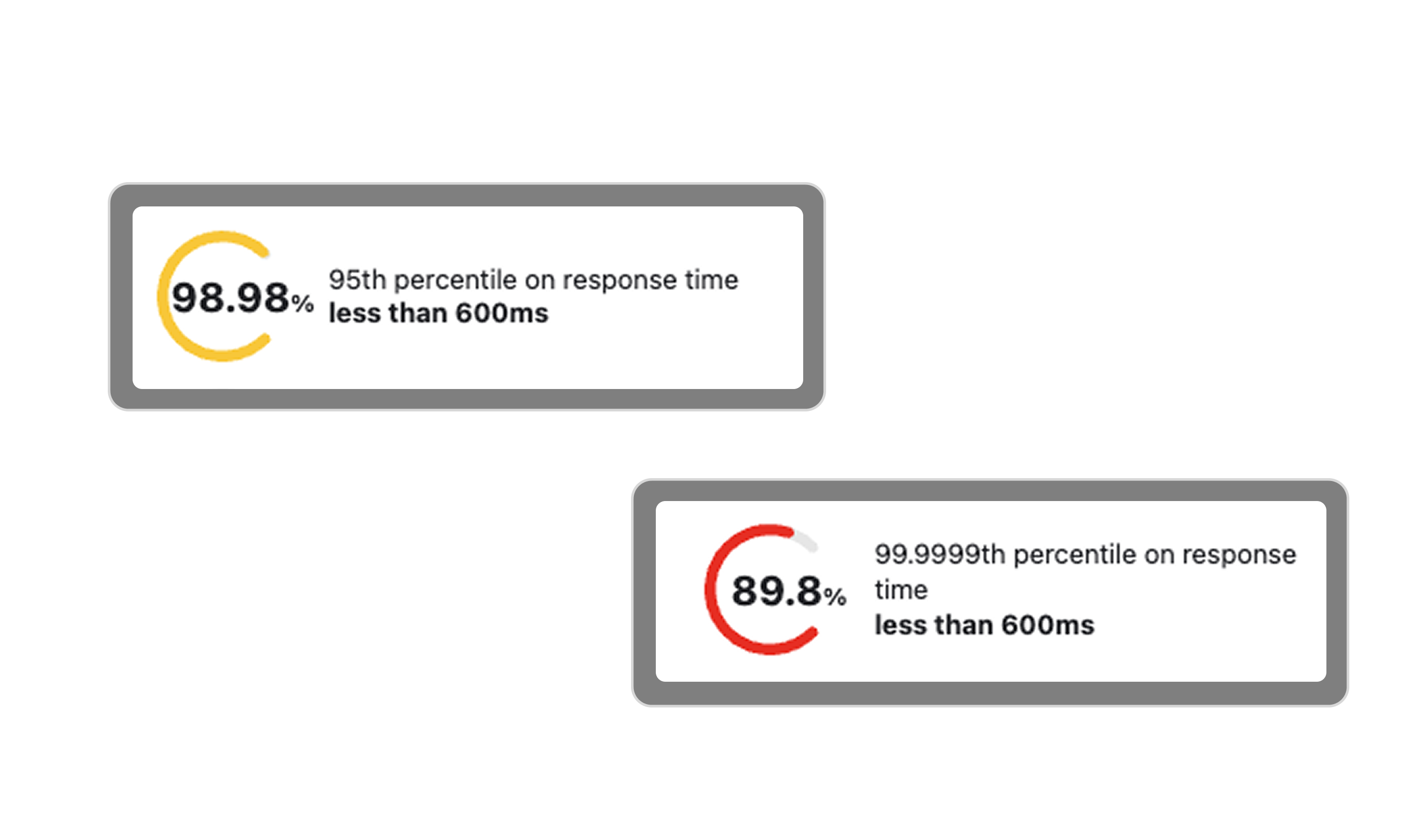
SLO results appear in the run summary as compliance gauges: one per SLO, color-coded, with the exact percentage for each.
Green: Met 99% of the time or more. Your system held the line.
Orange: Met between 90% and 99% of the time. Close, but worth investigating.
Red: Met less than 90% of the time. Your SLO was breached.
OUTCOMES
Three things
SLOs change for your team.
INTERACTIVE DEMO
From configuration
to results in minutes.
onfigure your SLOs on any test, launch the run, and read your compliance score directly from the run summary.

Built for the teams accountable for performance.
Define the performance standards your team is accountable for, directly in Gatling Enterprise Edition. No code change needed. Adjust thresholds anytime as your system evolves.
Heading
Standardize performance targets across all services. Every team runs against the same definitions. Every run produces a comparable compliance score.
Heading
Stop guessing whether a run was good or bad. SLO gauges give you an instant, unambiguous answer at the end of every test.
Heading
Ready to deploy
your first SLO?
Your Gatling Enterprise Edition account is all you need.
FAQ
Frequently Asked Questions about SLOs
Response time percentiles — p50, p95, p99, p99.9, p99.99, p99.999, p99.9999 — and error ratio across all scenarios.
Compliance is the percentage of seconds during the run where your condition was met. Ramp-up and ramp-down periods are automatically excluded.
Yes. You can stack as many SLOs as you need on a single test. Each one is evaluated and reported independently.
No. SLOs are configured entirely within Gatling Enterprise Edition.
Yes. SLOs are a Gatling Enterprise Edition feature.
Your all-in-one load testing platform
Design complex tests, manage global infrastructure, and turn results into action on one powerful platform.
Need technical references and tutorials?
Minimal features, for local use only
