
MCP SERVER
Pilot Gatling Enterprise Edition from your coding agent.
Query your account, analyze runs, share results, and start tests, all from natural language, without leaving your IDE.
AVAILABLE FOR





MCP SERVER
Give your coding agent full control of Gatling Enterprise Edition
The MCP server is a local server that runs on your machine and exposes your Gatling Enterprise Edition account to any MCP-compatible AI client. Read, analyze, share, and pilot, all from natural language.
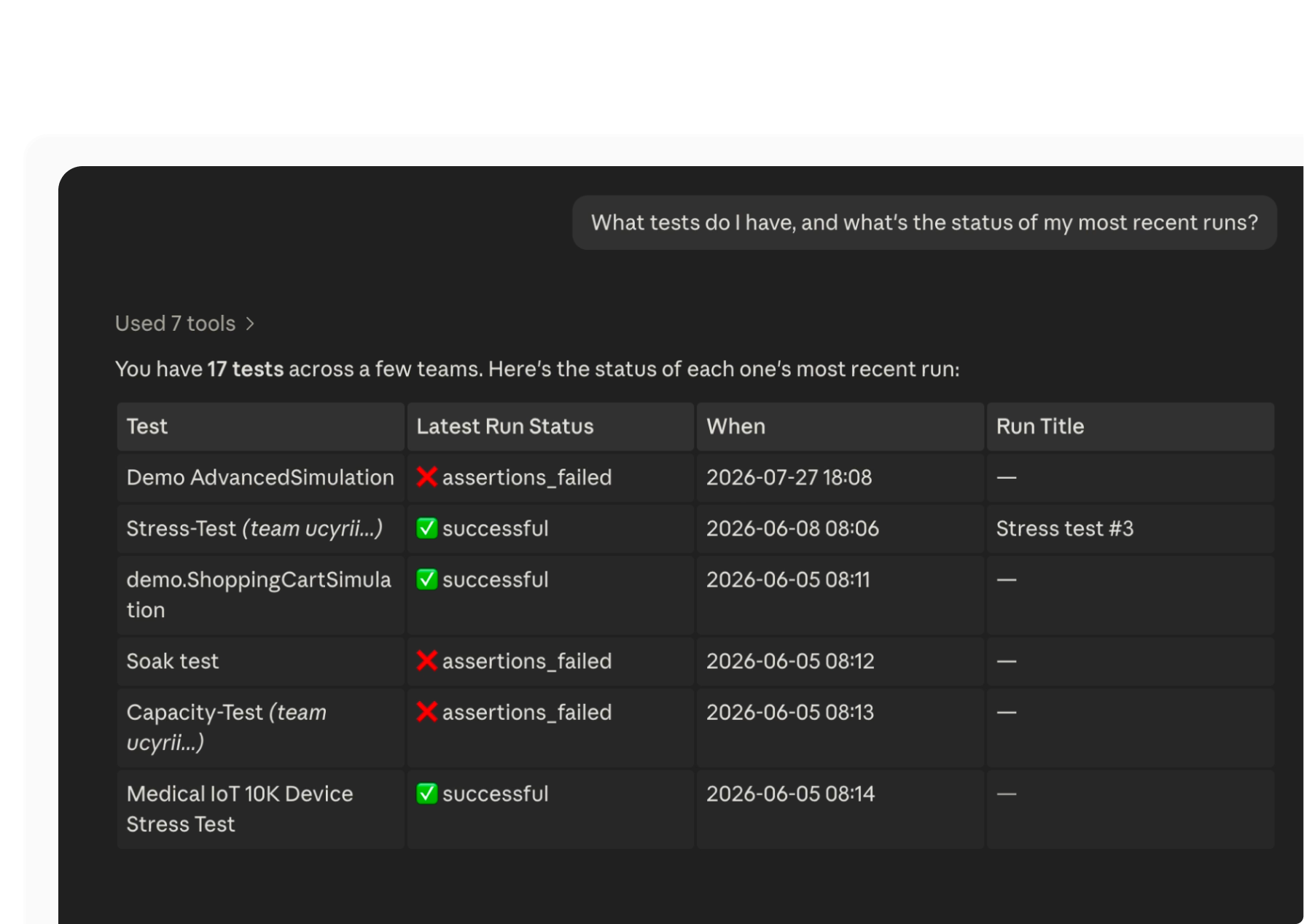
Read anything in your account
Stop context-switching to check a dashboard. Ask what teams you're on, what's deployed, where you can run tests... Get a real answer, live from your account.
Example tools: teams.read_all, packages.read_all, tests.read_all, locations.read_all, runs.read_all
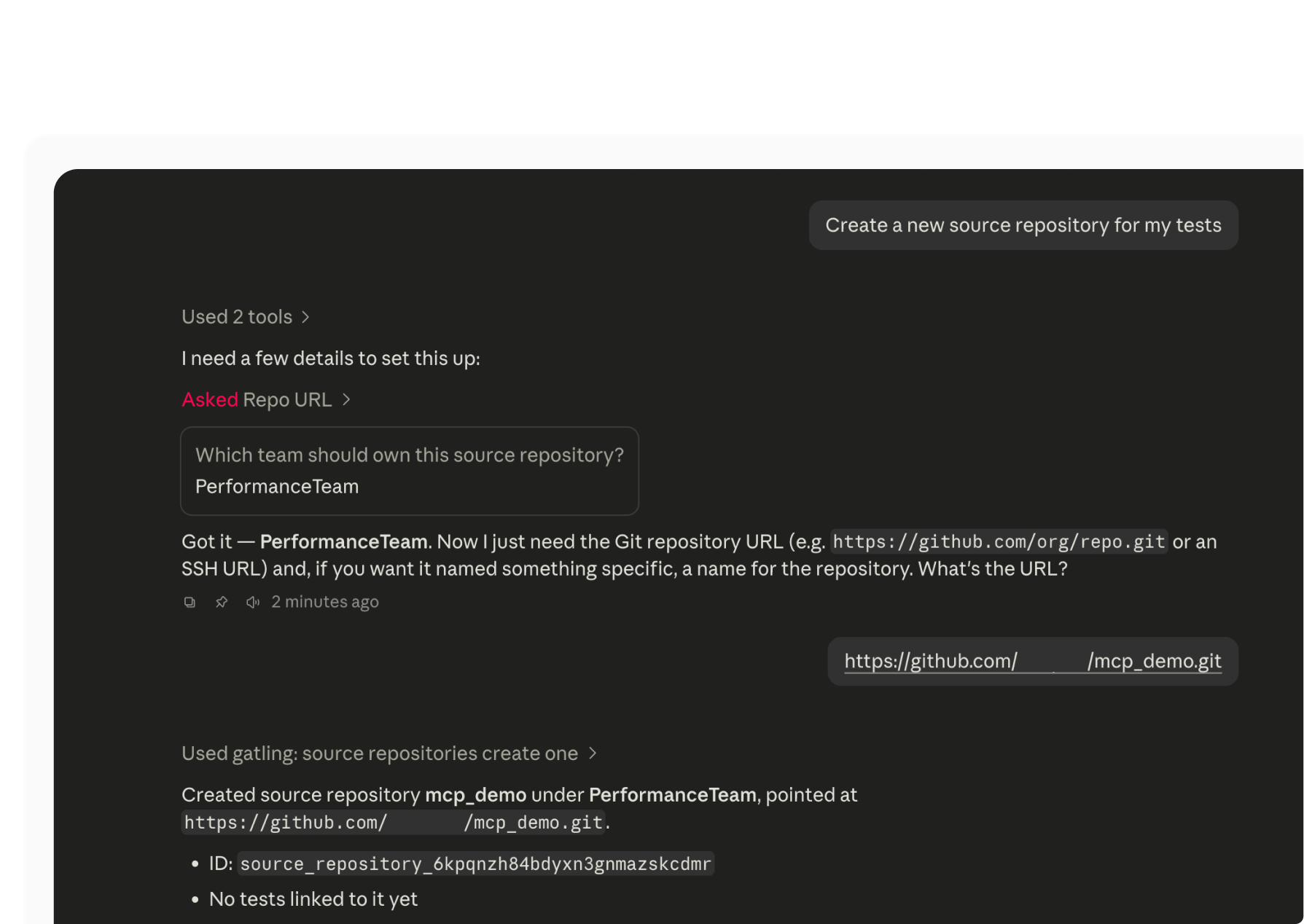
Manage all source repos for your tests
Register a git repository as a source your tests can build from, list what's already registered, or remove one.
Example tools: source_repositories.create_one, source_repositories.read_all, source_repositories.delete_one
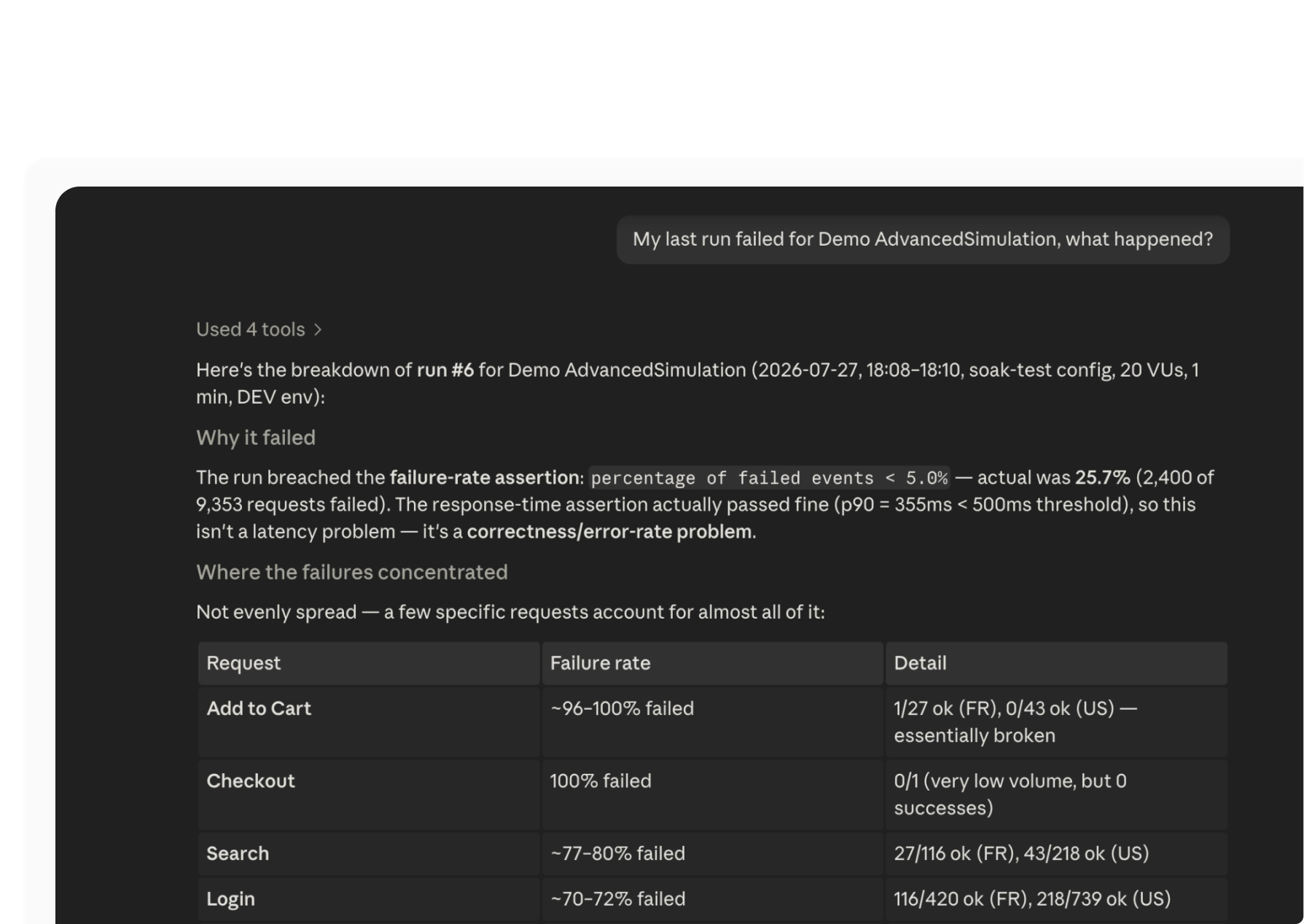
Analyze your runs
Go beyond a pass/fail status and get the actual diagnosis. Ask why a run failed and your agent cross-references the logs against the performance report to tell you: build error, injection crash, or stop-criteria breach.
Example tools: runs.read_status, runs.read_run_logs, runs.read_report_requests
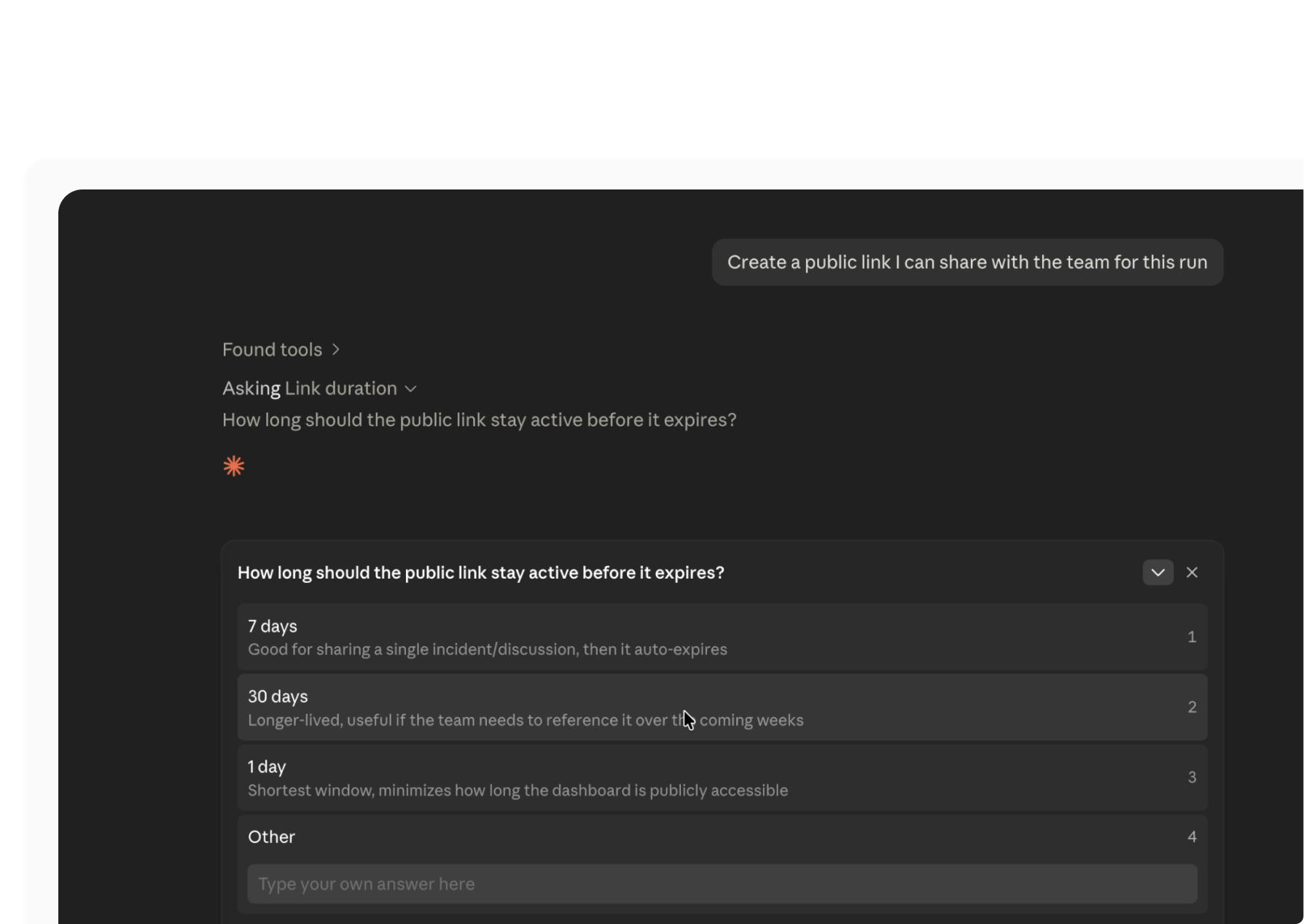
Share results
One request, one link. Send a run's dashboard to anyone on the team.
Example tools: runs.create_public_link
Know which tool to use, and when
Your agent doesn't just get access to these tools, it gets guided on how to use them. The gatling-mcp skill documents the terminology, the required role for each action, and the recommended workflows, so your agent picks the right tool the first time.
Ready to get started?
Receive the guide to start using the MCP
YOUR NEW END-TO-END WORKFLOW
Write a test. Ask your coding agent to run it, diagnose it, and share it.
MCP Server
See the MCP server in action
Explore how you can query your tests and packages, find the right teams and
locations, and configure a deployment without ever opening the UI.
Ready to pilot your first test from your coding agent?
Get started with the MCP Server.
Your Gatling Enterprise Edition account is all you need.
FAQ
Frequently Asked Questions about Gatling AI Extensions
Yes. Both components connect to Gatling Enterprise Edition via an API token. You need a valid account and a token with the Configure role.
No. The MCP Server runs locally via stdio. All communication is between your machine and your Gatling Enterprise Edition account directly.
The MCP Server works with any MCP-compatible client: Claude Code, Claude Desktop, Cursor, Windsurf, VS Code with Copilot. Skills are packaged as a Claude Code plugin today and can be adapted for
other agents.
Both. Beyond reading teams, packages, tests, runs, and locations, it can register source repositories, create and configure tests, and start or stop runs, scoped by your API token's role.
Your all-in-one load testing platform
Design complex tests, manage global infrastructure, and turn results into action on one powerful platform.
Need technical references and tutorials?
Minimal features, for local use only
