Browse your app. AI writes the Gatling load test.

Walk your user journey in a Playwright browser. Gatling's AI skills and MCP server, running in your coding agent, turn the recording into a correlated Gatling test that replays your journey.

Live with Heather Thacker, Developer Advocate at Gatling. Free, 60 min, live Q&A.

WORKS IN YOUR AI CODING AGENT

Claude Code
Cursor
Codex
Windsurf
Antigravity
ecomm.gatling.io
Recording HAR
PlaywrightThis browser is controlled by Playwright
ProductsAboutSearch products...1
Shop the Latest Trends
Discover our curated collection of the most stylish and high-quality products.
Shop Now
Latest Products
Latest Products
Pink Throwback Hip Bag
$32Add to Cart
Blue Stuff Satchel
Blue Stuff Satchel
$90Add to Cart
Black Earthen Bottle
$25Add to Cart
White Gatling T-Shirt
$99Add to Cart
1234
discovery/session.harapi-ecomm.gatling.io
GET/products?page=1200
POST/cart200
POST/checkout401
POST/login200
AI coding agent + Playwright
~/project $ claude> Build a Gatling load test from my browser session● Launching a headed Playwright browser, HAR recording on> starting: browse the catalogue  ✓ Logged step 2. Go ahead.> starting: add first product to cart  ✓ Logged step 3. Go ahead.> starting: unauthenticated checkout  ✓ Logged step 4. Go ahead.> starting: login  ✓ Logged step 5. Go ahead.> done● Capture stopped. AI is analyzing session.har  ✓ 8 API calls mapped to 6 steps$ ./mvnw gatling:test  ✓ BUILD SUCCESS, 8 requests, 0 KO> Deploy and start it on Gatling Enterprise  ✓ Deployed and started. Live report ready.
EcommJourneySimulation.javaGenerated by AI
40ScenarioBuilder ecommJourney = scenario("Ecomm journey")41  .group("02 - browse the catalogue").on(http("GET /products")42    .check(jsonPath("$.products[0].id").saveAs("firstProductId")))43  .group("03 - add first product to cart").on(http("POST /cart")44    .check(jsonPath("$.cart[0].id").isEL("#{firstProductId}")))45  .group("04 - unauthenticated checkout").on(http("POST /checkout")46    .check(status().is(401)))47  .group("05 - login").on(http("POST /login")48    .check(jsonPath("$.accessToken").saveAs("accessToken")))49  .group("06 - authenticated checkout").on(http("POST /checkout")50    .header("authorization", "#{accessToken}")51    .check(status().is(200)));
Local run, 1 user
8requests
8OK
0KO
BUILD SUCCESS
Running on Gatling Enterprise
cloud.gatling.io
Gatling Enterprise
Help centerGAGatling Load Testing PlatformNathan Veyret
Runs
▷ Start new run
Trends (Last 2 runs)›
Run 2
22/10/2026 08:34:1521s
Run 1
22/10/2026 08:00:1223s
No more runs.

Ecomm Journey Demo

#2
SummaryReportLogs
Compare runs
Generated from a Playwright session by the AI coding agent
Triggered by: API TokenLocation (managed): Europe - ParisCredits used: 1Injection profile: Defined in code
AI run analysisNEW IN GATLING

Let the magic happen and get a full report analysis on your run in minutes.

Analyze with AI
Build successful›Deployed 14s›Assertions successful 21s
Error ratio0%
Total requests13
Max. concurrent V.U1
P95 response time3s 807ms
1 assertion successful

Requests and Responses per Second

Response Time Percentiles

Your first load test, written by your AI agent in one session

Walk the journey once. Your coding agent maps the traffic, correlates every ID and writes a Gatling test you can run right away. No requests to copy by hand, no recorder script to fix.

Written by hand
Time to a first working test
Days
Who writes the code
You, request by request, from the browser's network tab.
Dynamic values
Correlated manually, one ID and one token at a time.
Recorded script
Time to a first working test
Hours
Who writes the code
A recorder, then you fix what breaks.
Dynamic values
Hardcoded IDs and tokens fail on the next run.
Agentic test coding with Gatling
Time to a first working test
Minutes
Who writes the code
Your AI coding agent, with Gatling's AI skills and MCP server.
BrowseMap requestsCorrelate IDsWrite the testRun it
Dynamic values
Extracted from responses and reused automatically.

You browse. AI does the rest.

Playwright to Gatling runs on Gatling's AI skills and MCP server, inside your coding agent. You walk the journey and name each step. The AI records the traffic, maps every request, correlates dynamic values and writes the Gatling test.

Start a session in your AI coding agent

Open an empty folder, run your agent and paste the prompt. The agent launches a headed Playwright browser on your app and starts recording every request.

AI coding agentSTEP 01
~/my-app $ claude

> [prompt] Generate a Gatling load test from a
  live browser session on https://ecomm.gatling.io

● Loading Gatling AI skills and MCP server
● Launching a headed Playwright browser
  Recording every request to discovery/session.har
  ✓ Step 1 logged: load home page

  Post starting: <step> before each action,
  then say done.

Browse and name each step

Before each action, post starting: <step name>. The agent timestamps it and confirms, then you click through the journey like a real user. Say done when you are finished. There is no timeout between steps.

ecomm.gatling.io
Recording HAR
PlaywrightControlled by Playwright, driven by your AI agent
ProductsAboutSearch products...1
Latest Products
Pink Throwback Hip Bag
$32Add to Cart
Blue Stuff Satchel
Blue Stuff Satchel
$90Add to Cart
Black Earthen Bottle
$25Add to Cart
White Gatling T-Shirt
$99Add to Cart
Network api-ecomm.gatling.io
starting: browse the catalogue
GET/products?page=1200
starting: add first product to cart
POST/cart200
Static assets and third-party calls stay in the HAR. The AI filters them out later.

A traceable record of every step

Each step you name is logged with a timestamp next to the recorded traffic. When you say done, the agent closes the browser and saves the session recording and the step markers to your project.

claude code + playwright, live captureSTEP 03
> starting: go to second product page
✓ Logged step 2: go to second product page
  at 09:25:38. Capture still running, go ahead.

> starting: add first product on page to cart
✓ Logged step 3: add first product on page to cart
  at 09:26:14. Still capturing.

> starting: unauthenticated checkout
✓ Logged step 4. Go ahead.

> starting: login
✓ Logged step 5. Go ahead.

> starting: authenticated checkout
✓ Logged step 6. Go ahead.

> done
● Capture stopped. Browser closed.
  Saved discovery/session.har and discovery/step-markers.json
discovery/step-markers.jsonSTEP 03
{
  "captureStarted": "2026-09-15T09:24:13.498Z",
  "steps": [
    { "name": "load home page",
      "at":   "2026-09-15T09:24:13.671Z" },
    { "name": "go to second product page",
      "at":   "2026-09-15T09:25:38.761Z" },
    { "name": "add first product on page to cart",
      "at":   "2026-09-15T09:26:14.328Z" },
    { "name": "unauthenticated checkout", ... },
    { "name": "login", ... },
    { "name": "authenticated checkout", ... }
  ]
}

AI maps every request to a step

With the browser closed, the AI parses the recording offline. It keeps the calls to your API, drops static assets and third-party requests, and attributes each call to the step you named. If a request spans two steps, it asks you instead of guessing.

AI analysis, offlineSTEP 03
step-markers.jsonsession.har
starting: browse the catalogue→GET/products?page=1200
GET/assets/index.js
starting: add first product to cart→POST/cart200
GET/assets/hero.webp
starting: unauthenticated checkout→POST/checkout401
starting: login→POST/login200
8 API calls keptstatic assets and third-party calls dropped by the AI

AI writes a correlated Gatling test

Each step becomes a Gatling group, in the order you walked it. IDs and tokens are extracted from responses and reused in the next requests, not hardcoded.

EcommJourneySimulation.java, generated by AISTEP 04
// Product IDs vary run to run: extracted, not hardcoded
http("GET /products")
  .check(jsonPath("$.products[0].id").saveAs("firstProductId"))
http("POST /cart")
  .check(jsonPath("$.cart[0].id").isEL("#{firstProductId}"))

// "unauthenticated checkout": a deliberate 401, asserted
http("POST /checkout")
  .check(status().is(401))

// "login": the token is saved, then sent on checkout
  .check(jsonPath("$.accessToken").saveAs("accessToken"))
  .header("authorization", "#{accessToken}")

Checks inferred from step names

The AI reads your step names to decide what each response should look like. A step named unauthenticated checkout becomes an expected 401, asserted as such, and the login token is reused in the next step.

EcommJourneySimulation.javaSTEP 06
// Step 4 - unauthenticated checkout
// A deliberate 401: it is asserted, not treated as a failure.
exec(http("POST /checkout (unauthenticated)")
  .post("/checkout").body(StringBody(CART_PAYLOAD))
  .check(status().is(401))
  .check(jsonPath("$.message").is("User is unauthenticated")))

// Step 5 - login
exec(http("POST /login")
  .post("/login")
  .formParam("username", USERNAME)
  .formParam("password", PASSWORD)
  .check(jsonPath("$.accessToken").saveAs("accessToken")))

// Step 6 - authenticated checkout, same payload, now with the token
exec(http("POST /checkout (authenticated)")
  .post("/checkout")
  .header("authorization", "#{accessToken}")
  .check(status().is(200))
  .check(jsonPath("$.message").is("Checkout completed")))

It replays on the first run

The steps run in the order you walked them. The agent runs the Gatling test once locally with the Maven wrapper, so you know it replays before you scale it up.

terminalSTEP 07
// Steps in the order they were walked
scenario("Ecomm journey")
  .exec(openHomepage).exec(goToPage2)
  .exec(addFirstProductOfPage2ToCart)
  .exec(unauthenticatedCheckout)
  .exec(login).exec(authenticatedCheckout);

Ecomm-Gatling-Test $ ./mvnw gatling:test

---- Global Information ------------------ Total --- OK --- KO
> request count                              8      8      -
> mean response time (ms)                 1538   1538      -
> response time 95th percentile (ms)      4118   4118      -

Global: count of failed events is 0.0 : true
[INFO] BUILD SUCCESS

Run it at scale on Gatling Enterprise

One more prompt and the agent writes the configuration as code, packages the project, starts the run on Gatling Enterprise and returns the link to the live report.
claude code, deploySTEP 08
> Deploy and start the test on Gatling Enterprise

● Loading skills: Gatling build tools, configuration as code

? Package ecomm-gatling-test already exists. Reuse it?
  › Create new package + test
? Which load generator location?
  › Europe - Paris
? Add stop criteria?
  › Keep it minimal

● Wrote .gatling/package.conf
$ ./mvnw gatling:enterpriseStart \
    -Dgatling.enterprise.simulationName="Ecomm Journey Demo"
  [INFO] Generating Gatling Enterprise package
         ecomm-gatling-test-1.0.0-SNAPSHOT-shaded.jar

✓ Deployed and started.
  Report: cloud.gatling.io/o/your-org/simulations/.../runs/...
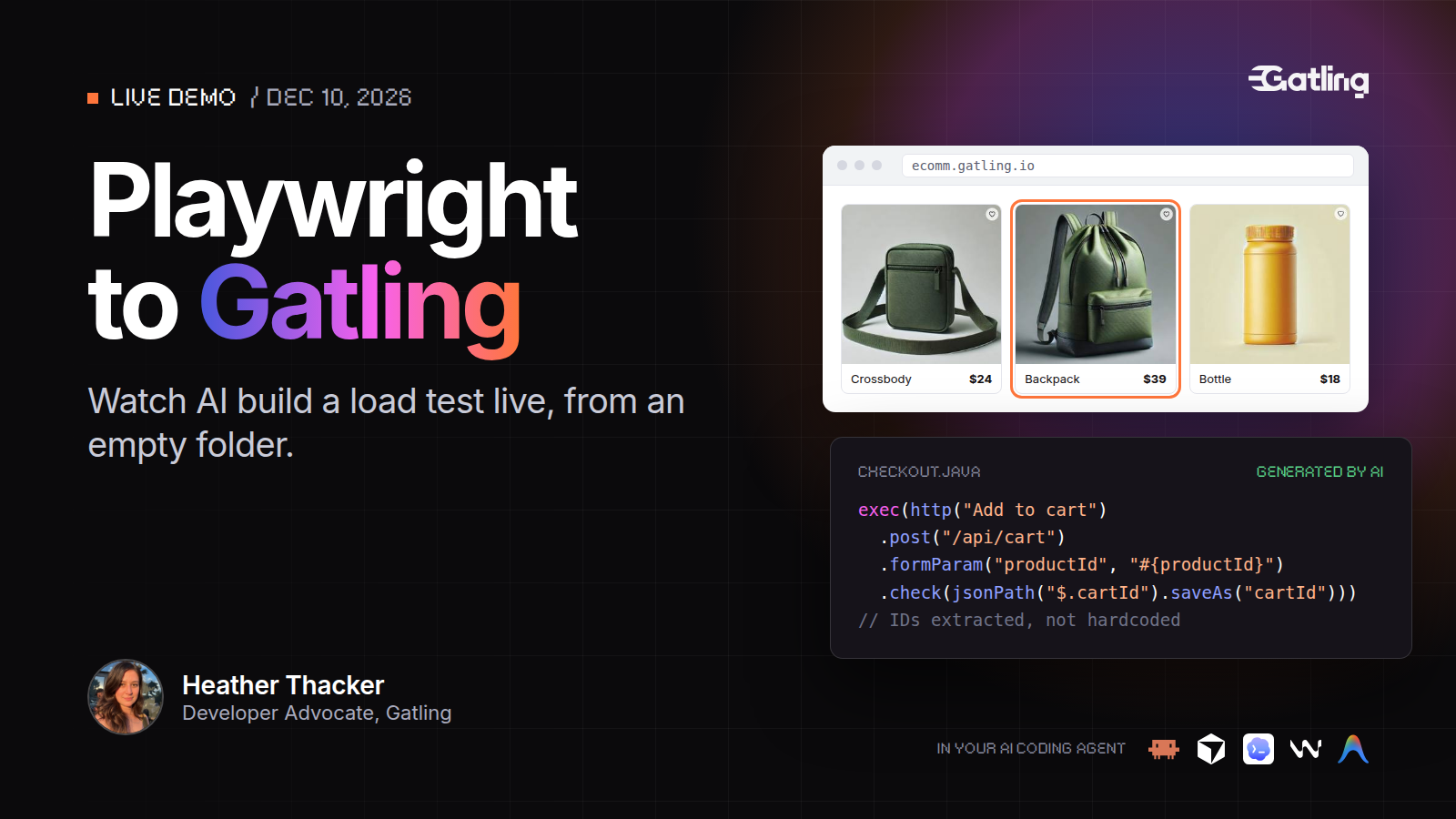
Playwright to Gatling live demo with Heather Thacker, December 10, 2026
LIVE DEMO/ DEC 10, 2026

See AI build a load test live, from an empty folder

Date
Thursday, December 10, 2026
Time
6 PM CET / 12 PM EST
Format
60 min, online, live Q&A
Heather Thacker
Heather ThackerDeveloper Advocate, Gatling
Save my seat

Free. Can't make it live? Register and get the replay.

Questions about AI test generation with Playwright

Is this an AI feature?

Yes. Your coding agent uses Gatling's AI skills and MCP server to analyze the recorded traffic, correlate dynamic values and generate the Gatling test. You stay in control: you name every step, ambiguous requests are flagged to you, and the output is plain Java code you can review.

Which coding agents does it work with, and what do I need?

Coding agents that support MCP servers and skills, including Claude Code, Cursor, Codex, Windsurf and Antigravity. You also need a 64-bit OpenJDK LTS from 11 to 25. Maven is optional: the project ships with the Maven Wrapper.

What does the recording capture?

The recording captures the traffic of your session, so use a test account and review the discovery folder before committing it. Only calls to the API base URL set in the prompt end up in the Gatling test.

Can I use it on my own app?

Yes. Change the site and API URLs in the prompt. The demo uses ecomm.gatling.io, our public sample store. You don't need an existing Playwright test: Playwright only drives the browser you record with.

Your next load test is one browsing session away

Browse your app, name each step, and let AI write the Gatling test. See it built live on December 10.

Need technical references and tutorials?

Minimal features, for local use only