
AI ANALYSIS
Your tests generate data.
AI tells you what it means.
After every run, one click tells you what broke, what slowed down, and what to fix next - whether you're looking at a single result, comparing two runs, or tracking performance over time.


Three levels of analysis. Every surface covered.
After every run, across your simulation history, and between any runs you compare - AI Analysis gives you a structured read wherever you look at data.
RUN SUMMARY
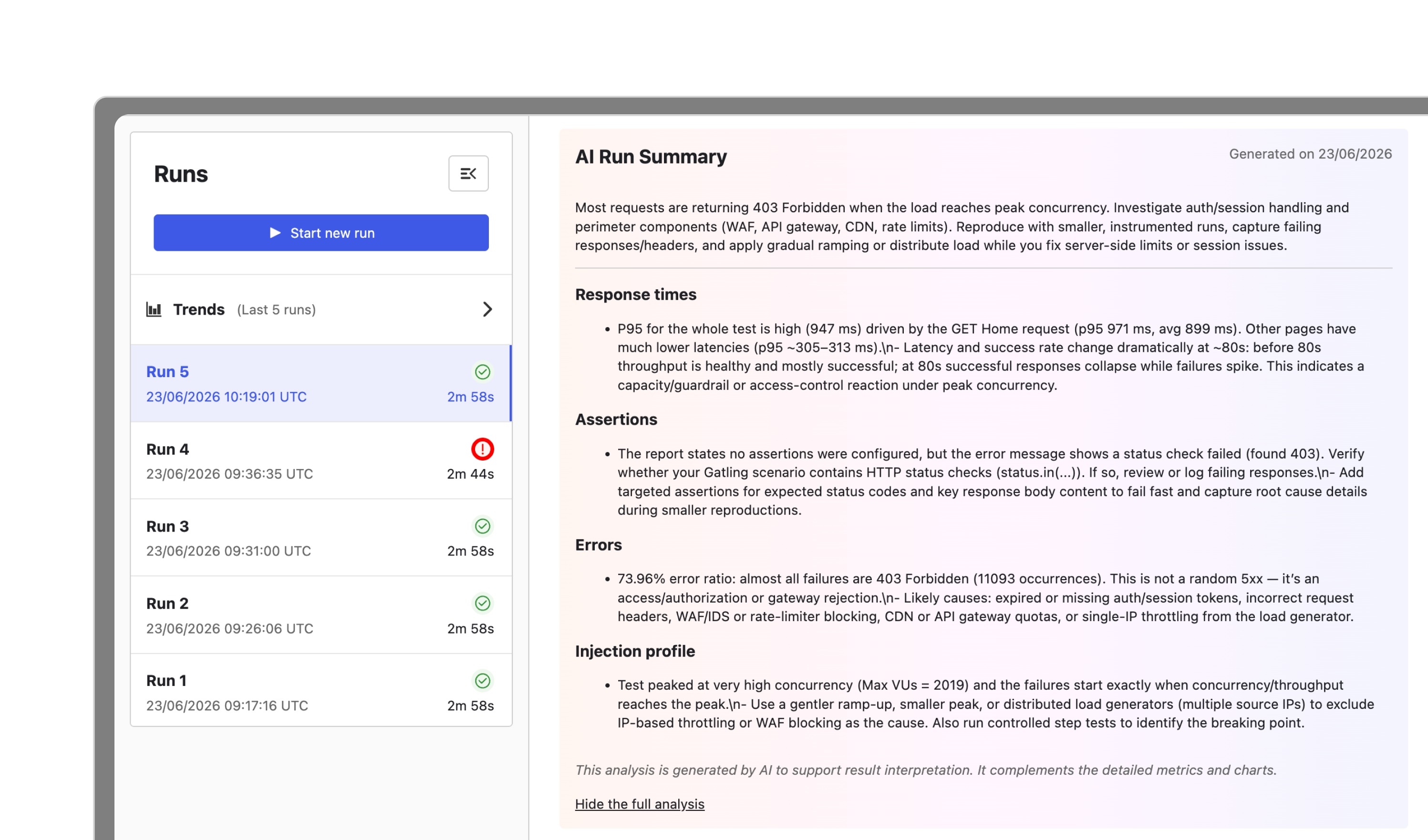
Every run ends with a clear verdict.
As soon as a test completes, AI generates a structured summary:
what performed well, what regressed, and what to investigate before the next run.
No manual analysis. No scrolling through dashboards hoping to spot the anomaly.
The run is done. The answer is already there.
TREND ANALYSIS
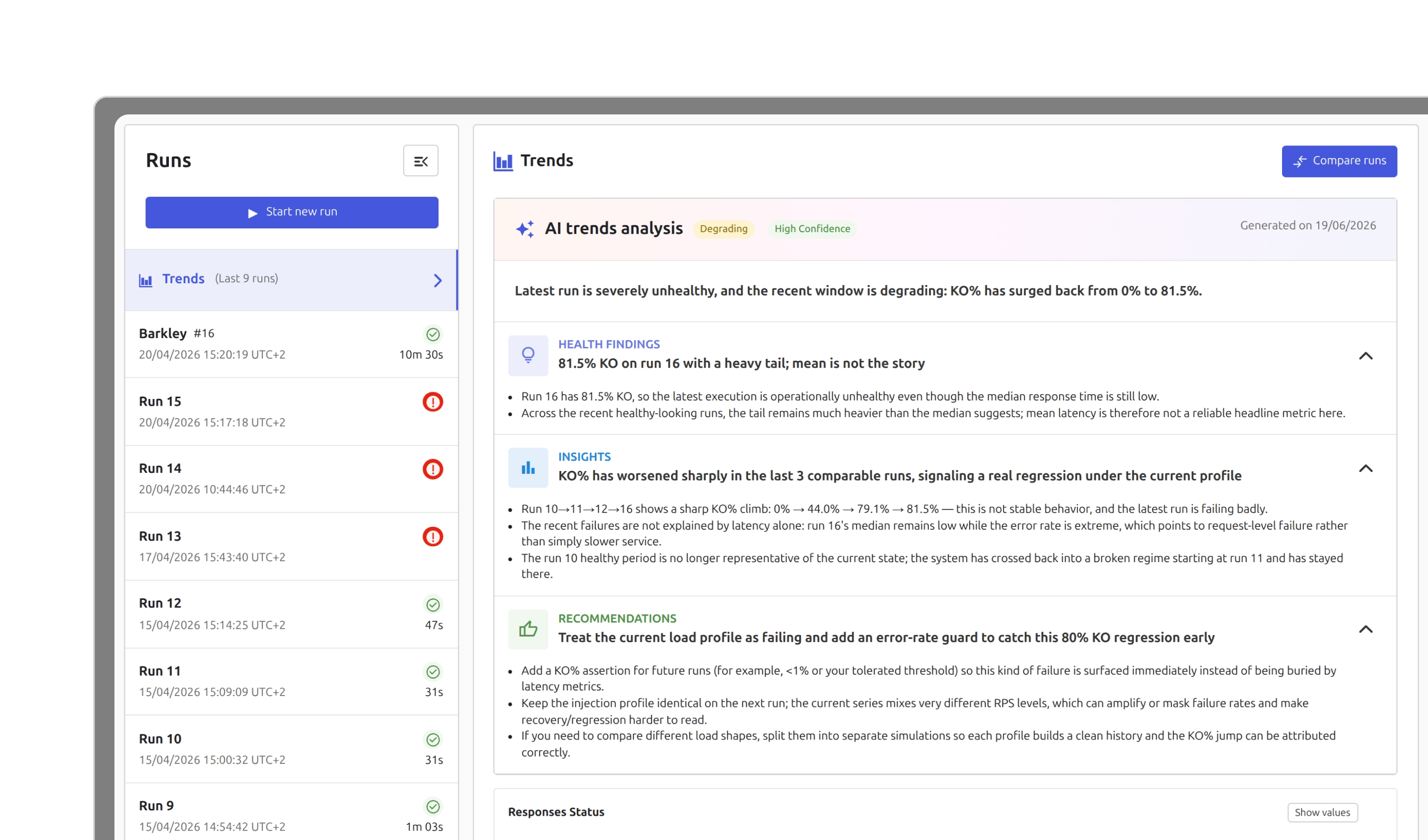
Know whether your system is improving before it becomes a question.
Individual runs tell you what happened today. Trend Analysis tells you whether your system is on the right trajectory, or whether something is slowly degrading before it surfaces as an incident.
AI reads your simulation's run history and surfaces what matters:
- Is p95 creeping up across recent runs or holding steady?
- Is that error rate an isolated spike or a systematic regression?
- Is throughput consistent, or quietly declining?
RUN COMPARISON
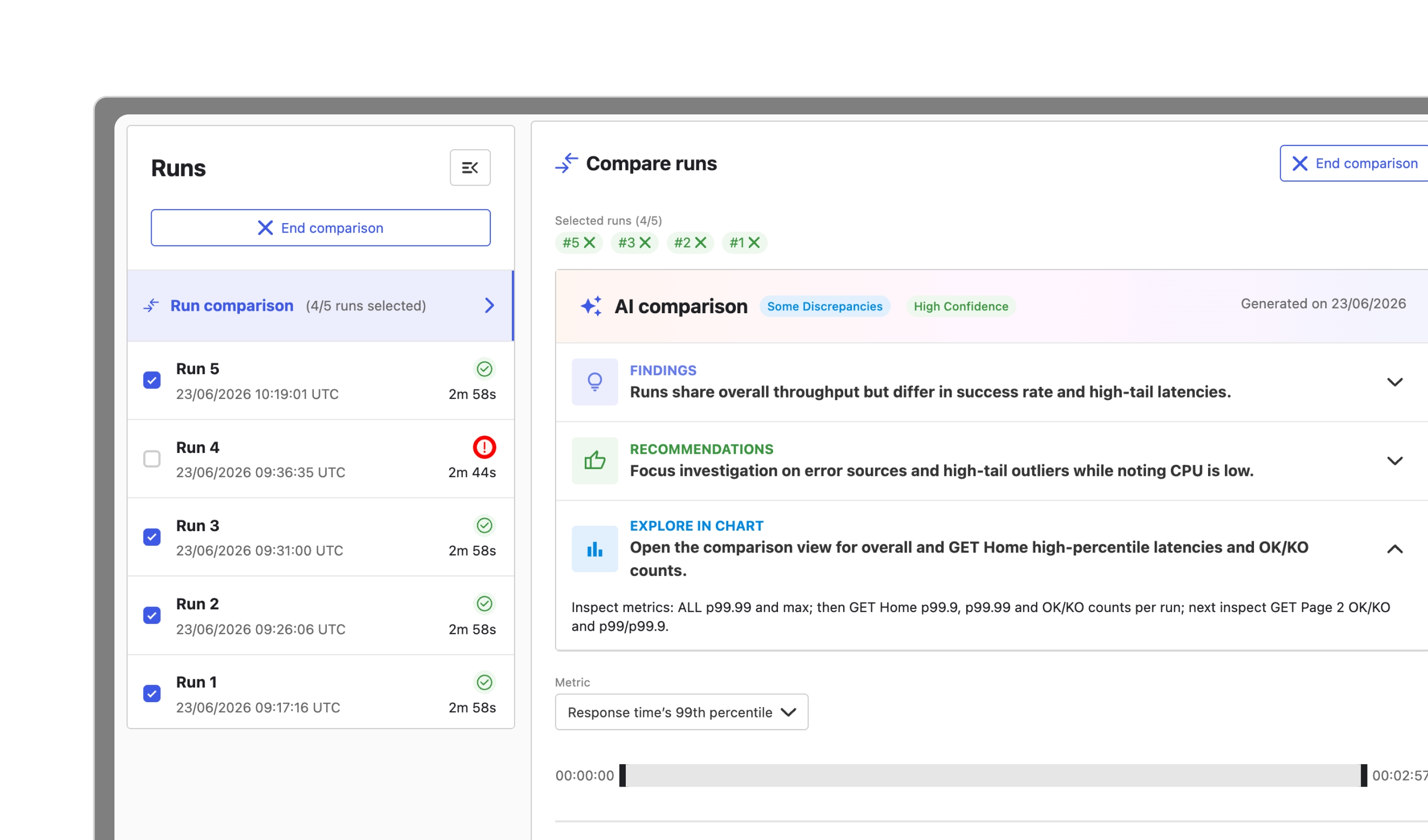
Something changed between two runs. AI tells you exactly what.
Select two to five runs, click Analyze with AI, and get a structured report in seconds: quantified findings on what moved, a verdict - Similar, Some Discrepancies, or Divergent - a confidence level, concrete recommendations, and a precise starting point in the comparison chart.
OUTCOMES
What changes
when AI reads your results.
AI analysis for every role on the team.
Every run ends with a structured starting point. Spend less time reading charts, more time acting on what they tell you.
Heading
Catch trajectory issues across a simulation's history before they escalate. Know whether your system is improving - not just whether the last run passed.
Heading
Give your team the ability to iterate on load patterns without waiting on a code change. Faster testing cycles, same simulation quality standards.
Heading
INTERACTIVE DEMO
See AI Analysis
in action
Follow a run from completion to AI-generated summary - findings, recommendations,
and a starting point in the chart, all in seconds.
Ready to let AI
read your results?
Your Gatling Enterprise Edition account is all you need.
FAQ
Frequently Asked Questions about AI Analysis
AI Analysis is available in Gatling Enterprise Edition. It must be enabled at the organization level by an admin.
Yes. AI Analysis works on any completed run in your account - you do not need to rerun your tests to access it.
Select two to five completed runs in Compare runs mode. The Analyze with AI button appears automatically once at least two runs are selected.
No. Run Comparison reasons only about the specific runs you selected - what changed between them. Trend Analysis reads your full simulation history to detect whether performance is improving or degrading over time.
Each report includes a confidence level - High, Medium, or Low - indicating whether the AI had enough signal to reason from. Low confidence is flagged explicitly, for example when a run was stopped early or when data is insufficient.
Your all-in-one load testing platform
Design complex tests, manage global infrastructure, and turn results into action on one powerful platform.
Need technical references and tutorials?
Minimal features, for local use only
