
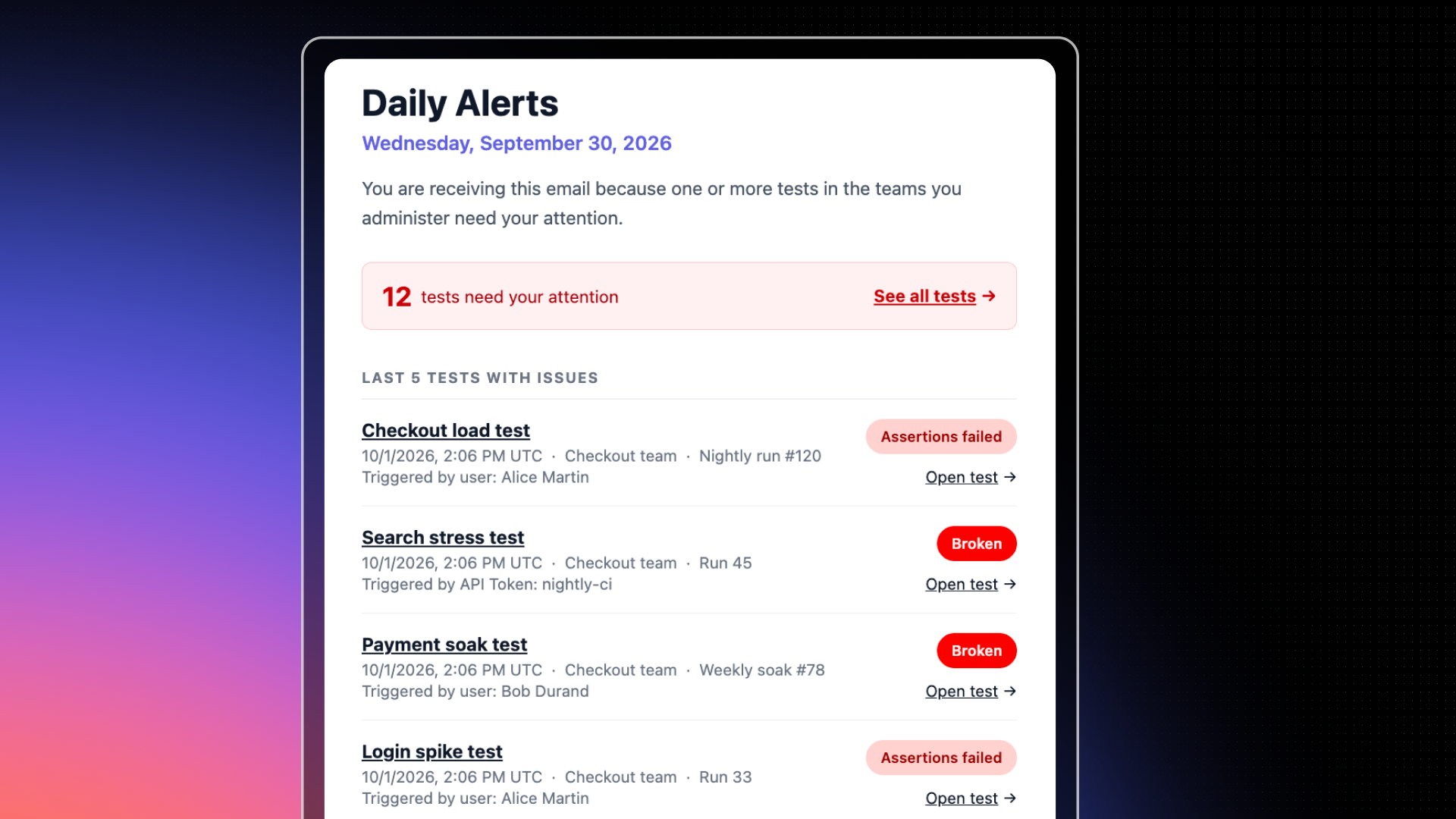
Daily Alerts is now available in Gatling Enterprise Edition. Each day, team administrators receive an email listing the tests in their teams whose last run ended without success the day before, with a direct link to each failed run.
Scheduled and CI-triggered load tests are meant to run without anyone watching. The downside: a broken test can stay broken until someone opens Gatling. Your other automated checks already notify you when something fails. Daily Alerts brings load testing to the same standard.
How it works
Gatling reviews the previous day: each email covers one full day, from 00:00 to 24:00 UTC.
Only the last run counts: a test is listed if its last run that day ended without success: crashed, timed out, stopped, or failed its assertions. If a later run of the same test succeeded, the test isn’t listed.
Team administrators receive it: each team administrator gets one email covering all the teams they administer.
No issue, no email: if every test is healthy, Gatling sends nothing.
What’s in the email
A counter: the total number of tests that need your attention across your teams.
The five most recent tests with issues: for each one, its run status, team, run label, and trigger, with an Open test link to the failed run.
A link to the full list: See all tests with issues opens the Tests page filtered on the Unsuccessful status.
Scope
Daily Alerts is sent by email to users with the Administrator role on at least one team. There is nothing to configure. Organization administrators who don’t administer a team don’t receive it. SSO group mapping isn’t supported yet.
Related updates
Your all-in-one load testing platform
Design complex tests, manage global infrastructure, and turn results into action on one powerful platform.
Need technical references and tutorials?
Minimal features, for local use only
