
Table of contents
What is performance engineering



Last updated on
Wednesday
July
2026
Modern performance engineering: most teams have architecture problems, not performance ones
Here's a pattern you've probably seen: teams build and test in staging, then deploy to production hoping everything works the same way. Spoiler: it doesn't. Systems are built in isolated branches and tested in controlled staging environments, then deployed with crossed fingers and optimistic dashboards.
Then production hits—real users, actual traffic patterns, and an environment that acts nothing like staging. Most teams don’t actually lack expertise or effort—they lack a realistic way of understanding how their systems behave under real-world performance conditions.
Performance engineering is supposed to bridge that gap. But in many organizations, the only time performance enters the conversation is when something slows down in production. By then, the system is already struggling, dashboards are firing alarms, and everyone is trying to diagnose symptoms rather than understand causes.
This is usually the moment someone asks, “Didn’t we run a load test?”
And that’s where our story begins.
The night a load test passed and everything still broke
It was a typical launch night—the kind nobody admits is stressful until things go wrong. The team had done what they believed was proper performance testing: they wrote a load test, executed it in staging, reviewed the performance metrics, and saw nothing alarming. Charts stayed flat, latency behaved, and the environment appeared calm. Green dashboards can be misleading—they show you what you tested, not necessarily what matters in production.
But staging environments rarely tell the whole story.
Within an hour of deployment, production behaved differently. Response times started creeping up, then rising sharply. Error rates appeared. API clients experienced unexpected timeouts. The team gathered around monitors, trying to interpret what was happening. The first suspicion was obvious: the load test must have missed something. “But it passed yesterday,” someone said, as if passing performance tests guaranteed system performance under real workloads.
The issue wasn’t the test itself—it was the assumptions behind it. The load test didn’t simulate realistic concurrency patterns. It didn’t reflect actual data volumes. It didn’t account for a downstream dependency that behaved fine in staging but collapsed under production conditions. The test wasn’t wrong; it simply wasn’t engineered to expose the performance bottlenecks inherent in the system.
This wasn’t a load problem. It was an architecture problem that load testing revealed only partially.
What is performance engineering? (through a developer’s eyes)
Performance engineering is a proactive discipline that embeds performance considerations—reliability, scalability, and efficiency—into every stage of design, development, and testing.
Most definitions of performance engineering sound vague or academic. Here's what it actually means: designing, validating, and improving systems so they behave predictably under real-world load.
- Performance testing – validates targets (response time, throughput, error rate)
- Performance engineering – optimizes code, architecture, infrastructure so those targets stay green in prod
It brings together architectural thinking, performance testing, performance optimization, performance monitoring, and an understanding of how applications behave under genuine load.
In practice, performance engineering requires:
- Architectural awareness
- Realistic performance testing
- Continuous performance monitoring
- Meaningful performance metrics
- Profiling and performance analysis
- Willingness to challenge assumptions
Performance engineering lives closest to developers—they write the code, make architectural calls, and define how systems behave. They're also best positioned to catch performance issues early, as long as they have the right tools and workflows.
This is why test-as-code matters. When performance tests live in version control, run in CI/CD, and evolve with the application, they become part of everyday engineering rather than a late-stage activity.
Gatling Enterprise supports this shift by making load testing a developer workflow while giving engineering leaders the visibility, governance, and collaboration features they need to scale testing across teams.
Tools like Gatling Enterprise Edition support this shift by turning load testing into a developer workflow instead of a separate QA task. This is performance engineering integrated into development, not bolted on afterward.
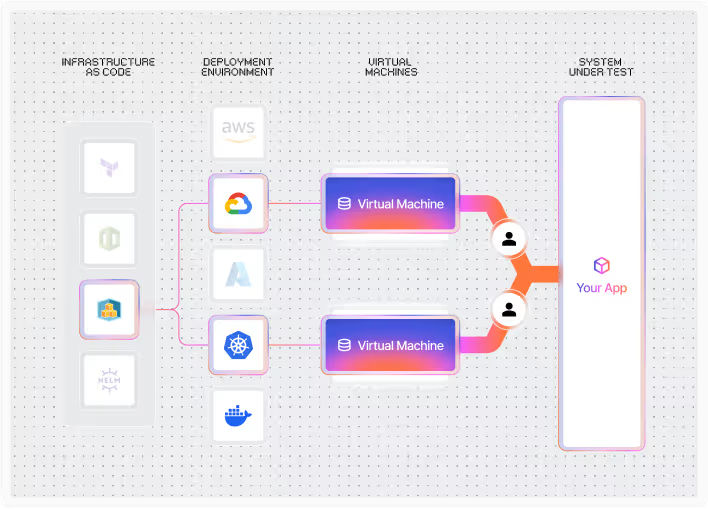
Recognize the myth of performance issues
Many teams blame performance issues on “too much traffic” or unexpected spikes. That’s easier than admitting the truth: most performance problems come from architectural decisions, not external load. But systems don’t behave differently under load; they reveal their true nature.
A synchronous call chain looks harmless in development and becomes a bottleneck under concurrency.
A database query that operates fine on small test datasets becomes slow with realistic volumes.
A microservice architecture that communicates too frequently performs well in isolation but degrades under load.
These issues don't appear out of nowhere—they show up when production load exposes what staging couldn't. Load testing doesn’t create performance problems. It simply makes them visible.
Why performance engineering matters to your whole organization
When your app slows down, everyone feels it. Users notice slow interactions even when they don’t know why. Business leaders see lost conversions and higher abandonment. Developers get paged, often in the middle of the night. Performance engineers begin searching through logs, metrics, and traces. Quality engineers are suddenly responsible for analyzing scenarios they never had the tools or data to validate.
When performance engineering is practiced consistently, the opposite happens. Performance issues become rare. Performance bottlenecks are discovered during development instead of in production. Incidents decrease. Teams regain stability and confidence. Leadership begins viewing performance not as a cost but as a competitive advantage.
Everyone benefits when performance is engineered into the system rather than inspected at the end.
For engineering leaders, this means fewer production incidents, better visibility into performance across teams, and a testing strategy that scales as your organization grows. Gatling Enterprise provides the governance, reporting, and automation capabilities you need to industrialize performance testing without slowing teams down.
{{card}}
Your practical performance engineering lifecycle
In practice, performance engineering follows a lifecycle that mirrors how systems actually evolve:
Set performance requirements
Most teams skip this step. Words like “fast” or “scalable” don’t mean anything until you define them with numbers—latency targets, throughput limits, error budgets. Clear requirements shape architectural decisions more than any framework, language, or infrastructure. These requirements typically include:
- Latency targets
- Throughput expectations
- Concurrency limits
- Degradation thresholds
- Cost-performance constraints
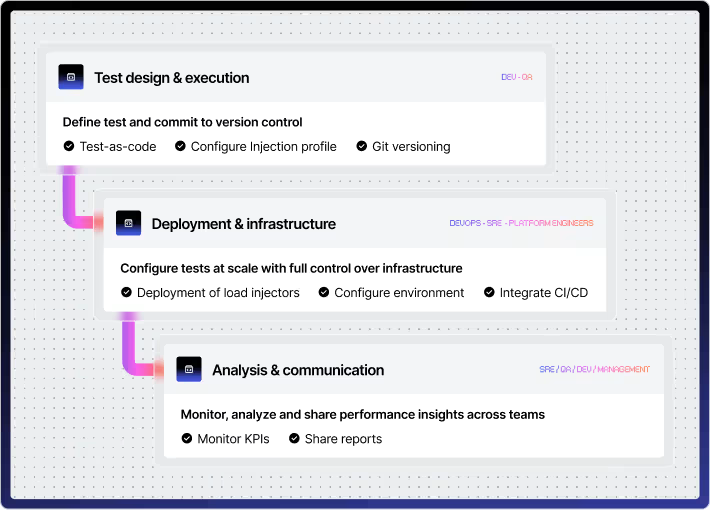
Design architecture for performance
This is where most performance characteristics are decided. Decisions such as synchronous vs asynchronous handling, sequential vs parallel processing, caching strategy, and data modeling determine how well a system performs under load.
Performance engineering practices should be embedded here, guiding decisions before code is written.
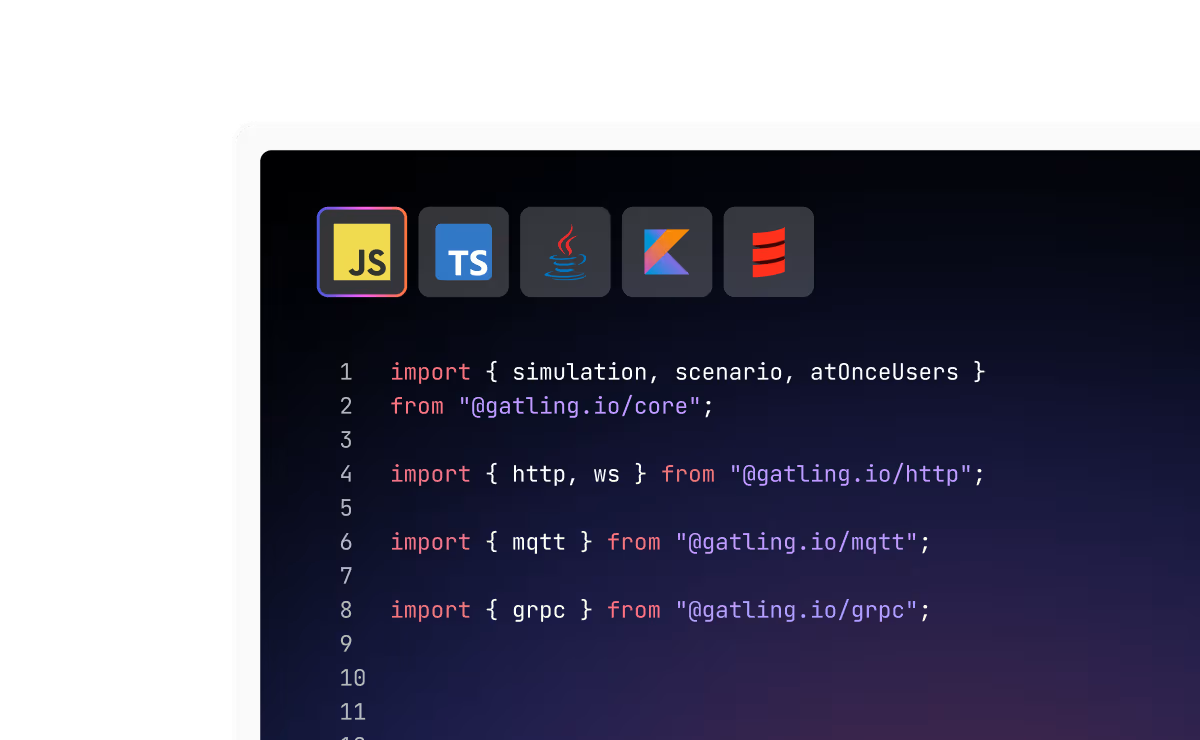
Adopt test-as-code
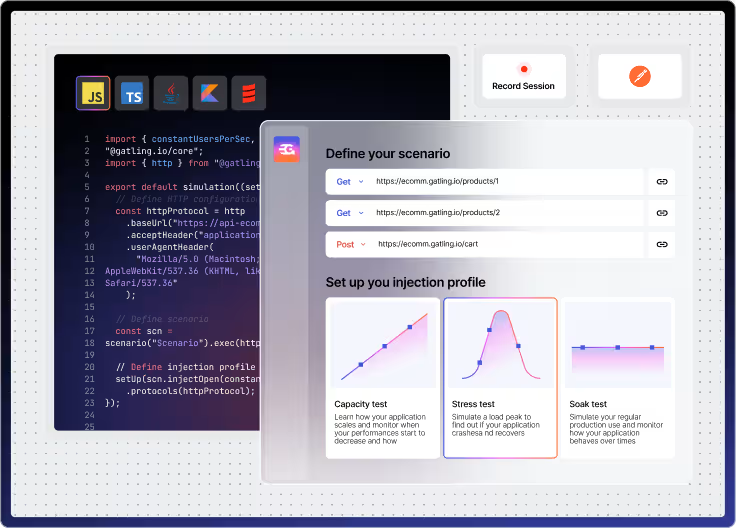
This is how developers integrate performance testing into their workflow. Gatling Enterprise Edition enables this by supporting test as code within developer tooling. It becomes part of the engineering pipeline rather than a separate activity performed only before release. A load test should be:
- Repeatable
- Automated
- Version-controlled
- Aligned with CI/CD
- Reflective of real user behavior
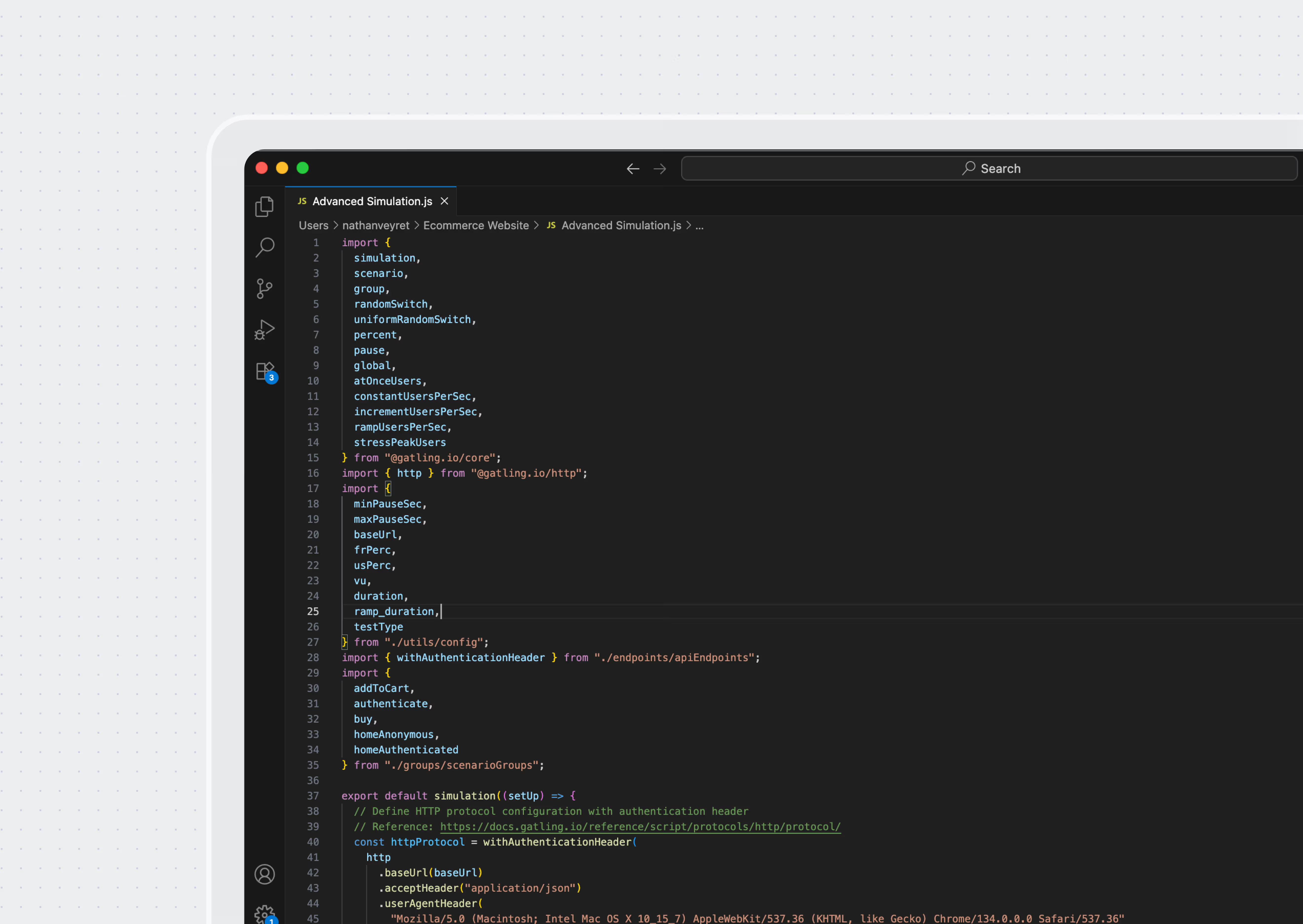
Execute performance testing
Performance testing includes:
- Load testing: validate performance at expected traffic levels
- Stress testing: push beyond expected limits to find breaking points
- Spike testing: simulate sudden traffic surges and recovery
- Soak testing: run steady load for hours to catch leaks and slow degradation
- Scalability testing: measure how throughput and latency change as you add resources
Each test type uncovers different performance bottlenecks. Running only a single load test is one of the most common reasons performance issues slip into production.
Monitor and profile performance
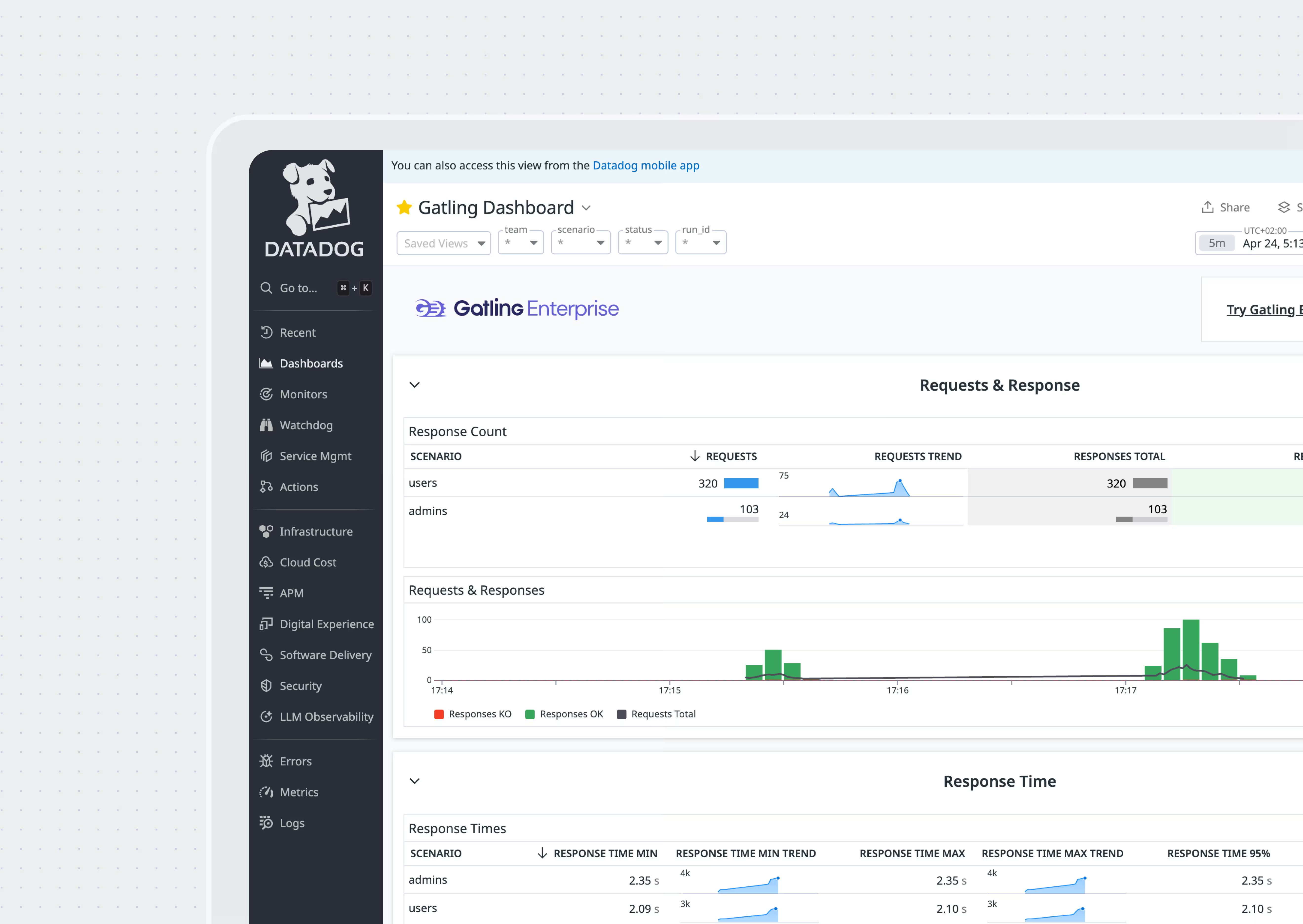
Performance monitoring provides visibility into real system behavior. Observability tools show latency distributions, dependency chains, and resource utilization.
Profiling helps identify hot paths and inefficient code. Together, they reveal how an application truly behaves—not just how it behaves in theory.
Why scaling hardware rarely fixes performance problems
When an app slows down, the knee-jerk fix is to crank up server sizes or add replicas. Cloud autoscaling makes that tempting, but throwing hardware at the problem only helps when the bottleneck is truly horizontal.
If the system is slow because of blocking I/O, inefficient queries, or sequential logic, scaling does little. If an AI model saturates GPU memory, additional servers don’t fix the underlying limitation.
Many performance issues are architectural, not infrastructural. Performance engineering helps teams understand when scaling is the right solution—and when it’s simply masking deeper problems.
How modern workloads change the rules
Modern systems are distributed—microservices, external APIs, third-party dependencies, and increasingly, AI or LLM-based components. Each one adds new performance risks.
APIs often create latency chains where one slow dependency affects everything upstream. Distributed systems generate new failure modes such as retry storms or cascading timeouts. LLM performance doesn’t follow traditional patterns; token generation speed, batching efficiency, and KV-cache behavior become primary performance metrics.
Traditional load testing tools weren't built for these scenarios—they assume simpler, more predictable architectures. Performance engineering practices have evolved to address these realities, and organizations need to evolve with them.
How high-performing teams approach performance engineering
These teams don't guess or test in isolation. They run load tests in CI/CD, monitor production continuously, and catch regressions before they ship. Teams that excel at performance engineering share several habits:
- They define performance requirements early
- They treat performance tests as part of development
- They integrate load testing into CI/CD
- They measure system performance continuously
- They treat performance regressions like functional bugs
- They collaborate across development, QA, and operations
Choose tools that actually help
The problem isn't usually a lack of tools—it's that most performance testing tools don't fit into developer workflows. A strong performance engineering foundation typically includes:
- A profiler for code-level performance
- Distributed tracing for latency paths
- An APM for production performance monitoring
- A load testing platform that supports test as code
This is where Gatling Enterprise helps—it lets developers write load tests as code, run them in CI/CD, and validate performance throughout development.
This is where Gatling Enterprise Edition fits naturally. It enables developers to write and automate load tests, integrate them into CI/CD, and validate system performance throughout the development cycle.
By aligning with developer workflows, it supports performance engineering instead of interrupting it.
Avoid why performance efforts fail in most organizations
Performance engineering isn't inherently complex, but it does require clear ownership and consistent practice. These challenges undermine performance engineering efforts long before testing even begins. Many organizations struggle because:
- Performance responsibilities are unclear
- Performance requirements are vague
- Architecture is not validated under real load
- Performance monitoring is limited
- Developers lack visibility into production behavior
- Teams are siloed
Embrace the new era of performance engineering
We’re entering a period where performance engineering is no longer optional. Modern systems, distributed architectures, global traffic, and AI-driven workloads demand a continuous approach to performance testing, performance monitoring, and performance optimization. Teams that adopt performance engineering practices build systems that scale predictably and recover reliably.
With Gatling Enterprise, performance engineering becomes part of your development lifecycle—not a last-minute task. You get test-as-code, automated CI/CD integration, managed infrastructure, and analytics that help you catch regressions before they ship.
Performance isn’t discovered at the end of a project. It’s built from the beginning, engineered deliberately, and validated continuously.
About the author
FAQ
FAQ
What does a performance engineer do?
A performance engineer keeps your app fast in the real world. They set speed targets, write load tests in code, watch metrics, and work with developers to remove bottlenecks before users feel them.
How is performance engineering different from performance testing?
Performance testing is a point-in-time check. Performance engineering is the ongoing work of keeping performance predictable as your code, traffic, and architecture change.
When should you start performance engineering in the development cycle?
Start on day one. Define performance requirements early, review architecture with performance in mind, and run automated tests in CI/CD so you catch regressions while changes are still small.
How do you improve performance for LLMs and AI workloads?
Improving LLM performance requires a mix of systems engineering and model-serving optimization. Key techniques include minimizing Time-to-First-Token (TTFT), increasing tokens-per-second throughput, optimizing batching strategies, reducing KV-cache memory pressure, and choosing hardware (GPU type, memory bandwidth) that aligns with the model size. Architectural performance engineering is essential here, since LLM bottlenecks rarely behave like traditional CPU-bound web applications.
Related articles


Ready to move beyond local tests?
Start building a performance strategy that scales with your business.
Need technical references and tutorials?
Minimal features, for local use only
