
From exploration to executable load tests
Creating your first load test is often the hardest part: understanding user flows, identifying the right requests, and translating everything into reliable test code.
Gatling Studio removes that friction by turning real browser behavior into production-ready Gatling scenarios in minutes.
With this release, Gatling Studio helps you:
- Start load testing without a blank page
- Capture real user journeys with full fidelity
- Generate clean, extensible Gatling code instantly
- Move faster from idea to executable performance tests
Record real user behavior
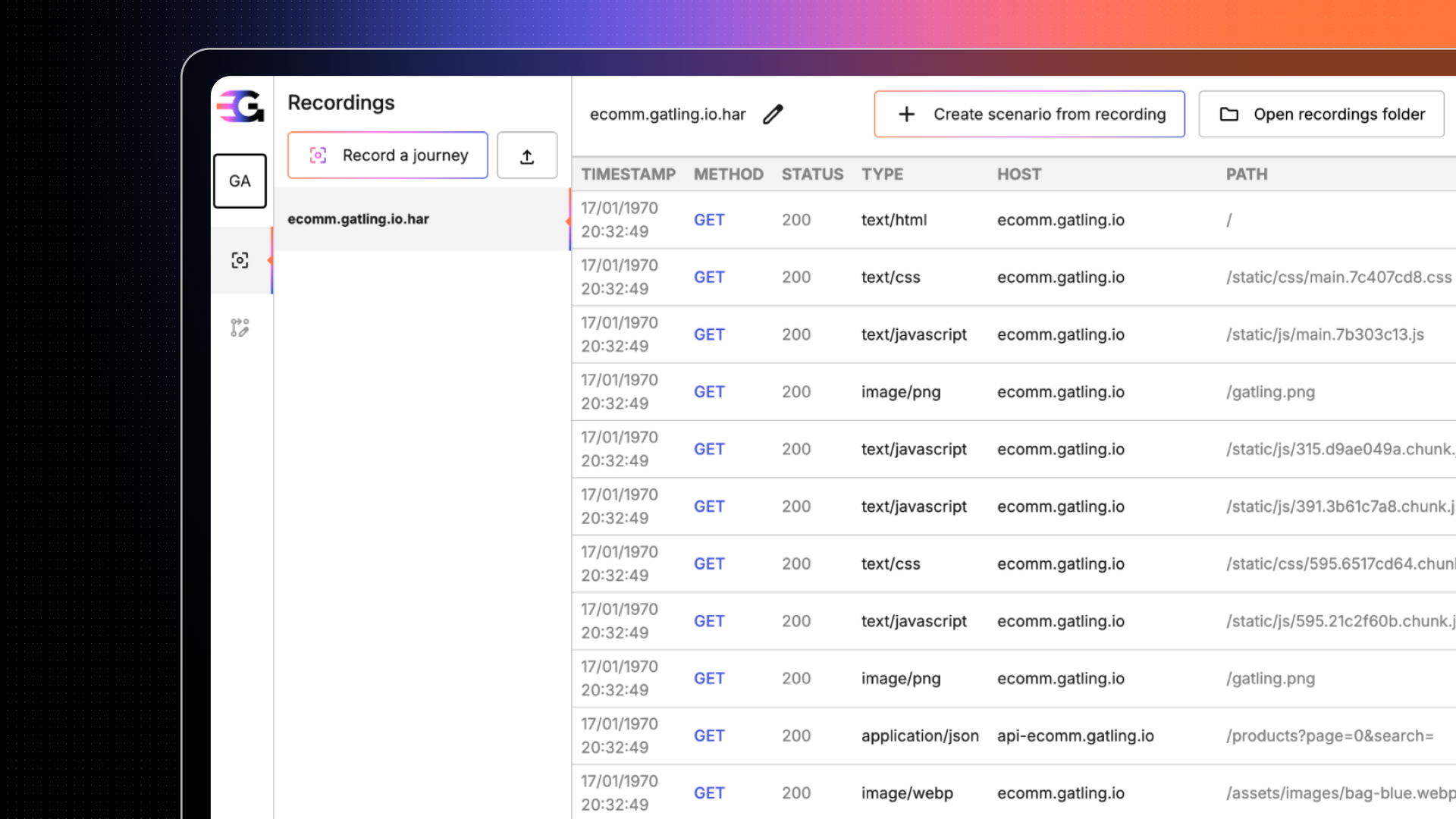
Gatling Studio launches a controlled browser session and records every interaction in detail: requests, responses, headers, payloads, and timings.
You can also import existing HAR files to reuse recordings you already have.
This ensures your tests reflect real user behavior, not approximations.
Clean, refine, and stay in control
Once your session is captured, Studio automatically removes static assets and third-party noise.
You can then refine your scenario by domain or request type, preview the final flow, and validate exactly what will be turned into a load test.
No hidden magic — everything stays visible and editable.
Generate ready-to-run Gatling code
With one click, Gatling Studio converts your refined journey into high-quality Gatling code:
- Structured scenarios
- Grouped HTTP requests
- Realistic pauses and timings
- Clean Java (Maven) projects ready for extension
The generated code is designed to be versioned, customized, and integrated directly into your existing workflow.
Export to your IDE and scale when ready
Studio exports a complete Gatling project you can open instantly in your IDE, run locally with Gatling Community Edition, or scale massively using Gatling Enterprise.
From local validation to large-scale load testing, no rewrite required.
Related updates
Your all-in-one load testing platform
Design complex tests, manage global infrastructure, and turn results into action on one powerful platform.
Need technical references and tutorials?
Minimal features, for local use only
