
Why should you switch to Gatling Enterprise Edition?
Your open-source Gatling script works fine for local runs. Point that same script at Enterprise Edition and you get dashboards with history and trends, AI-powered analysis, and team management on top.


Why choose Enterprise Edition?

Every run, in one place
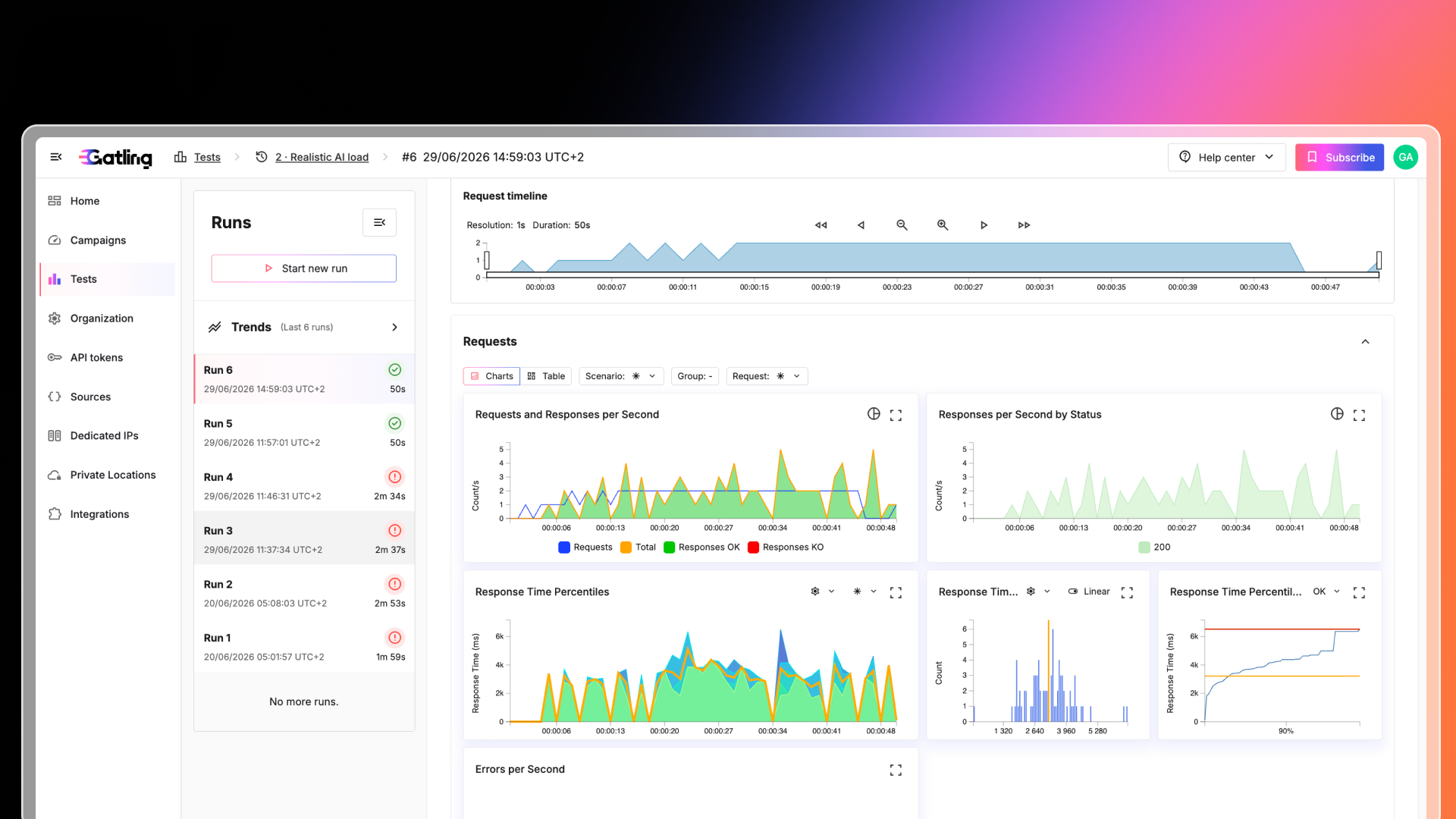
Create, run, analyze, and share tests from a single interface. Full run history, SLO tracking, and run comparison replace one-off HTML reports.

Scale beyond one machine
Go from a single local generator to 5M+ concurrent virtual users across 20 load generators. Run on Gatling-managed infrastructure in 10+ regions, or self-host on AWS, Azure, GCP, or Kubernetes.

Performance checks on every build
Native plugins for GitHub Actions, GitLab CI, Jenkins, and Azure DevOps trigger tests and check SLOs on every build, so regressions are caught before they ship.

AI across the testing workflow
AI insights explain what broke and what slowed down after each run. The MCP server and AI coding assistants let you create and run tests from your IDE, and converters migrate JMeter and LoadRunner scripts.
Static reports vs
Continuous Performance Intelligence
A static HTML report made sense when you tested twice a year. Continuous testing needs run history, comparison across builds, and results the whole team can see, not just the person who ran the test.
Gatling Community Edition
A solid engine, one report at a time. Static HTML reports per run. No history, no comparison, no sharing.
Gatling Enterprise Edition
History, comparison, and an answer, not just a chart. Dynamic dashboards, full run history, SLO tracking, and an AI summary of what broke and why.
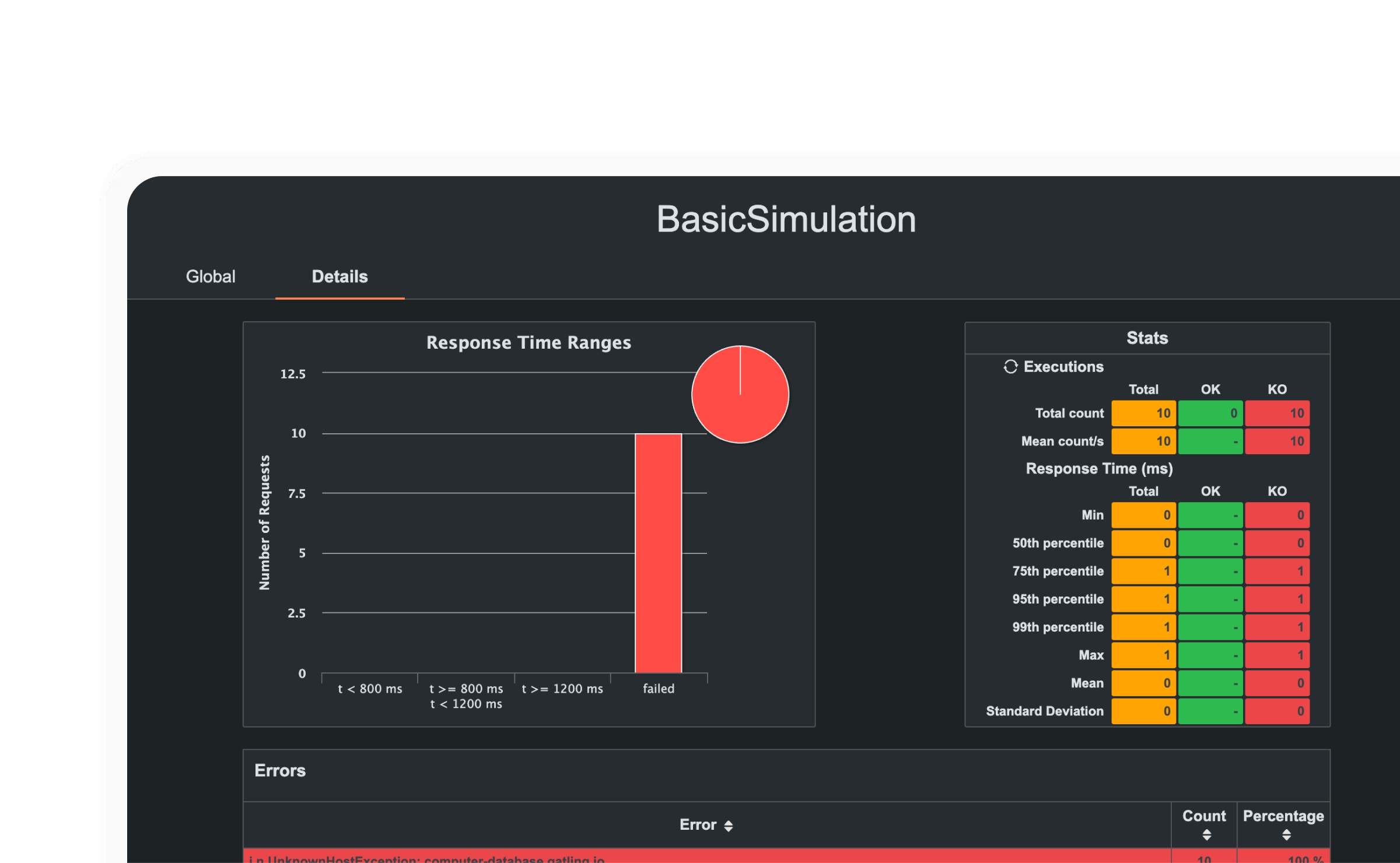
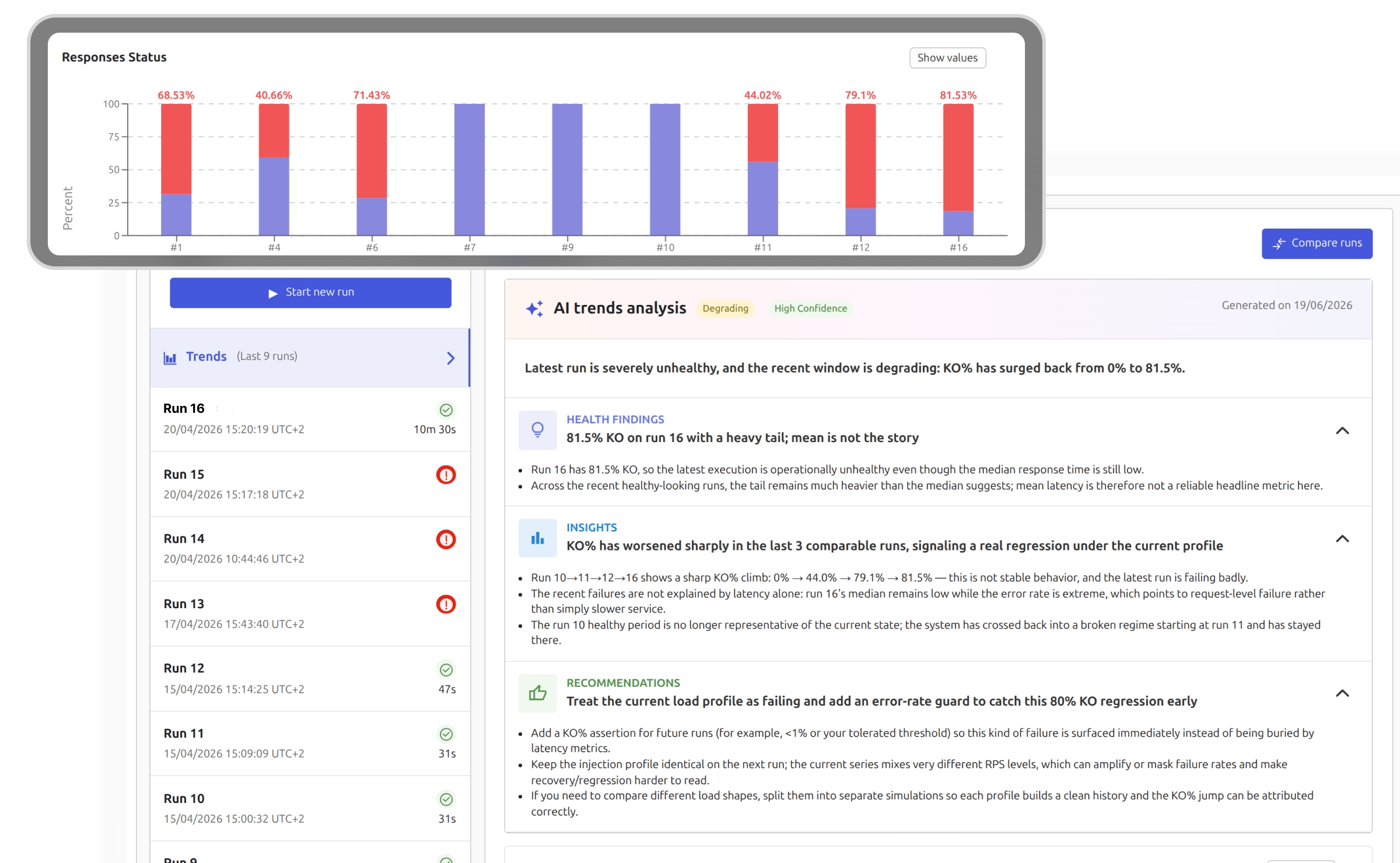

Static HTML reports, generated once

No historical data

Limited metrics coverage

No sharing or collaboration

Dynamic, shareable dashboards

Full history, trends and campaign-level view

SLO tracking and run comparison

AI-powered summaries, understand results instantly
Live Session
See Gatling in action
Build, run, and interpret your first load test.
By the end of this practical session, you'll know exactly what Enterprise gives you out of the box.
Community or Enterprise: which one fits your needs?
Community
Ideal for local testing
Enterprise
5M+ virtual users, managed load generators, and team dashboards
Test creation
Multi-language SDK
(JS, TS, Java, Scala, Kotlin)
MQTT for IoT
gRPC for Microservices
HAR file import & web recorder
ARTIFICIAL INTELLIGENCE
AI Coding Assistants
(VS Code, Cursor, Windsurf, Google Antigravity)
JMeter to Gatling Converter
Loadrunner to Gatling Converter
MCP Server
AI Insights on reports, comparisons and trends
Load testing infrastructure
Deployment Options
(AWS, Azure, GCP, Kubernetes, OpenShift, Self-managed)
Infrastructure-as-code
(Terraform, Helm Chart, CloudFormation, CDK)
Load Generators
Test Execution
Run Stop Criteria
Automatically stop tests based on custom-defined performance thresholds or failure conditions, saving time and cloud resources.
Unlimited Saved Simulations & Runs
Keep a complete history of all your tests for ongoing reference, analysis, and compliance needs.
Dedicated IPs
Run tests from fixed IP addresses to meet security and whitelisting requirements.
Automated Releases & Updates
Always run on the latest stable version of Gatling Enterprise with zero manual upgrades.
performance metrics
Requests and Responses per Second, Response Time Percentiles, Responses per Second by Status, Errors per Second
Metrics Filtered by Scenario, Requests, Group of requests
Users Arrival & Termination Rate, Concurrent Users
TCP Connect Duration Percentiles, TLS Handshake Duration Percentiles, Number of Connections
DNS Resolution Duration Percentiles
Load Generators Monitoring: CPU usage in percents, TCP Connections Events per Second
reporting
Live Granular Report
Monitor tests in real time with detailed metrics down to the request and scenario level.
Modern and Interactive Reports
Explore dynamic charts, filters, and drill-down views for faster debugging and decision-making.
Run Summary
Access a concise overview of key metrics after each test for quick validation.
Run Comparison
Compare results from multiple test runs to identify regressions or improvements.
Run Trends
Track performance evolution over time to anticipate future bottlenecks.
Markers
Add custom markers to your reports to highlight releases, incidents, or major changes.
Shareable Public Links
Share live or past reports with stakeholders outside of your Gatling account securely.
PDF Export
Download reports in PDF format for archiving or offline sharing.
CSV Export
Export raw test data for custom analysis or integration with BI tools.
COLLaboration
Modern and user-friendly UI
A clean, intuitive interface that makes it easy for all team members to participate in performance testing.
Users & Teams Management
Create and manage user groups with specific access levels and quotas.
Projects Management
Organize simulations, runs, and reports by project for clearer ownership and collaboration.
Role-based Access Control
Assign permissions to users based on roles for security and governance.
Single Sign-On (SSO)
Integrate with your identity provider for streamlined and secure login.
Testing Activity Monitoring
Track and audit all load testing activity for accountability and compliance.
integration
Build tools
(Maven, Gradle, SBT)
CI/CD Solutions
(Jenkins, GitLab CI, GitHub Actions, Bamboo, TeamCity, bash script)
Observability tools
(Dynatrace, Datadog, New Relic, InfluxDB, OpenTelemetry)
Project Management
Jira
Notifications
(Slack, Teams)
Public APIs
Programmatically create, trigger, and manage tests from your own tools and scripts.
“If you wanted to drive hundreds of thousands of transactions per second, it's not a hard thing to achieve in Gatling. You don't have to tune it. You don't have to call in an expert.”
“One reason we chose Gatling was how easy it is to re-run tests. I also really appreciate having the results directly available in the UI; it makes it easy to share insights.”
.png)
“What I like about Gatling is that it lets us write performance tests in Kotlin, the language we use every day. That really lowers the barrier for developers to contribute.”
FAQ
Community vs Enterprise
Gatling Community is perfect for local, individual load testing, while Gatling Enterprise adds scalability, collaboration, and advanced reporting features designed for production-grade performance testing in complex environments.
Yes. You can create and run tests locally with the Community Edition, then upgrade to Enterprise to benefit from distributed load generation, CI/CD integration, and advanced analytics without rewriting your tests.
Distributed load testing lets you simulate millions of concurrent users from multiple geographic regions or cloud providers, giving you realistic results for high-scale, global applications.
Enterprise centralizes your testing history, provides role-based access control, and lets multiple teams (developers, QA, SREs, and external partners) collaborate on the same platform with shared projects and async workflows.
Yes. Gatling Enterprise integrates with popular CI/CD platforms, observability tools, and notifications systems, ensuring performance testing fits directly into your development and release workflows.
Enterprise includes advanced security features such as Single Sign-On (SSO), encryption in transit and at rest, role-based access control, and compliance with standards like GDPR.
No. While developers can write tests in their preferred language, non-developers can create scenarios using our no-code visual tools or by importing from Postman or HAR files.
Your all-in-one load testing platform
Design complex tests, manage global infrastructure, and turn results into action on one powerful platform.
Need technical references and tutorials?
Minimal features, for local use only
